Sidebar Panel Order
Reorder the collapsible panels in the block editor's document sidebar — SEO, ACF field groups, Soft Gate, taxonomy panels — and save that order for everyone on the site.
Editors on most Yoko sites scroll past panels they never touch to reach the one they use constantly. This puts the panels they use at the top, once, for everybody, without hand-written admin CSS.
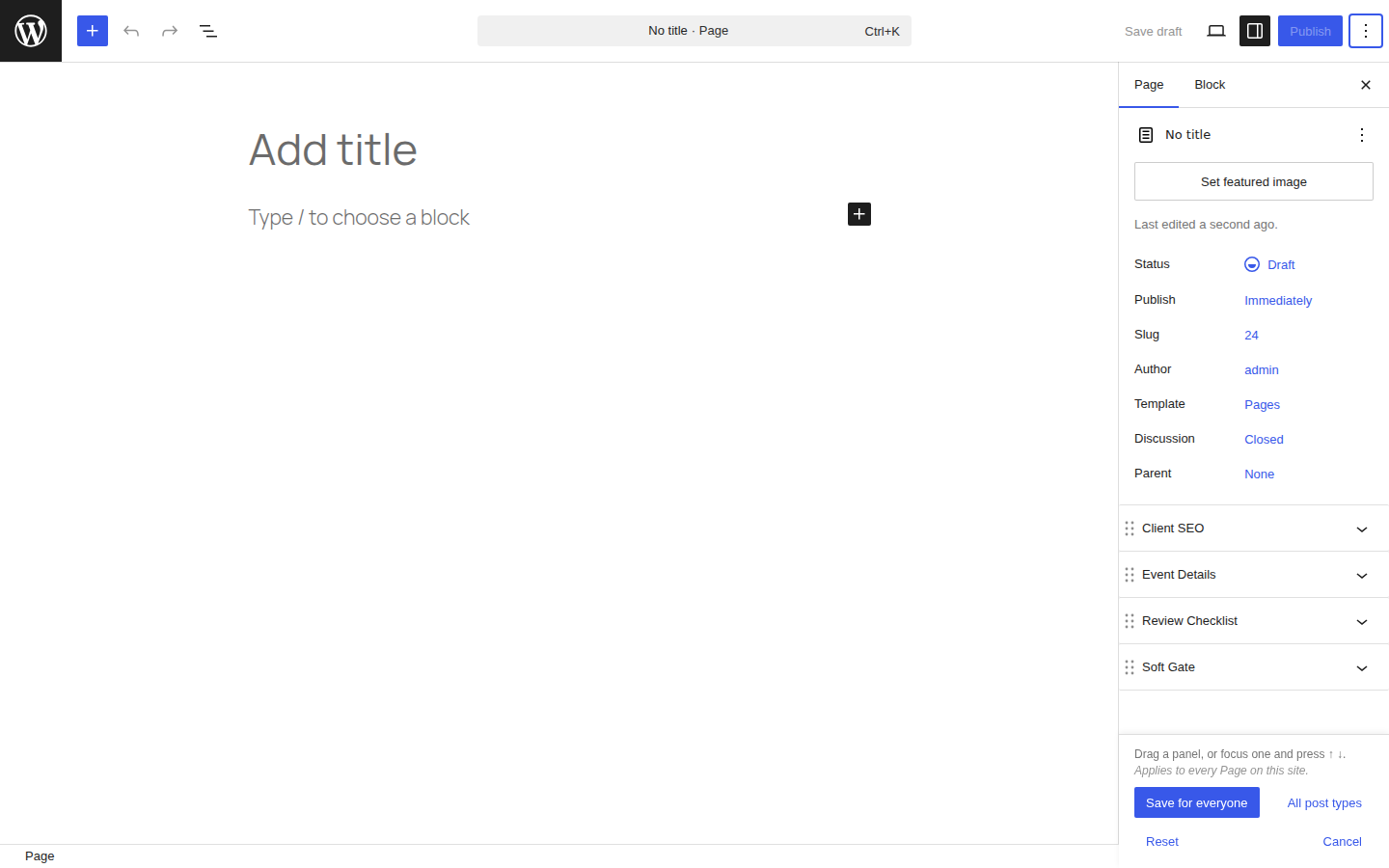
What can and cannot be reordered
| Part of the sidebar | Reorderable? |
|---|---|
Collapsible panels — plugin panels, taxonomy panels, anything registered with PluginDocumentSettingPanel | Yes |
| The Summary section — featured image, status, publish date, slug, author, template, discussion, parent | No. WordPress 6.7 and later render these as rows in one fixed section, not as panels. They stay at the top. |
| Classic meta boxes | No. WordPress renders them in a separate area below the panels. They stay at the bottom. |
Panels move only between the slots panels already occupy, so nothing else in the sidebar shifts.
Who can change it
Anyone with manage_options. Everyone else gets the saved order applied to their
sidebar but never sees the control.
Change the capability with the yoko_panel_order_capability filter:
add_filter( 'yoko_panel_order_capability', fn() => 'edit_theme_options' );
Reordering
Block editor only — see Classic editor and page builders.
-
Open any post or page.
-
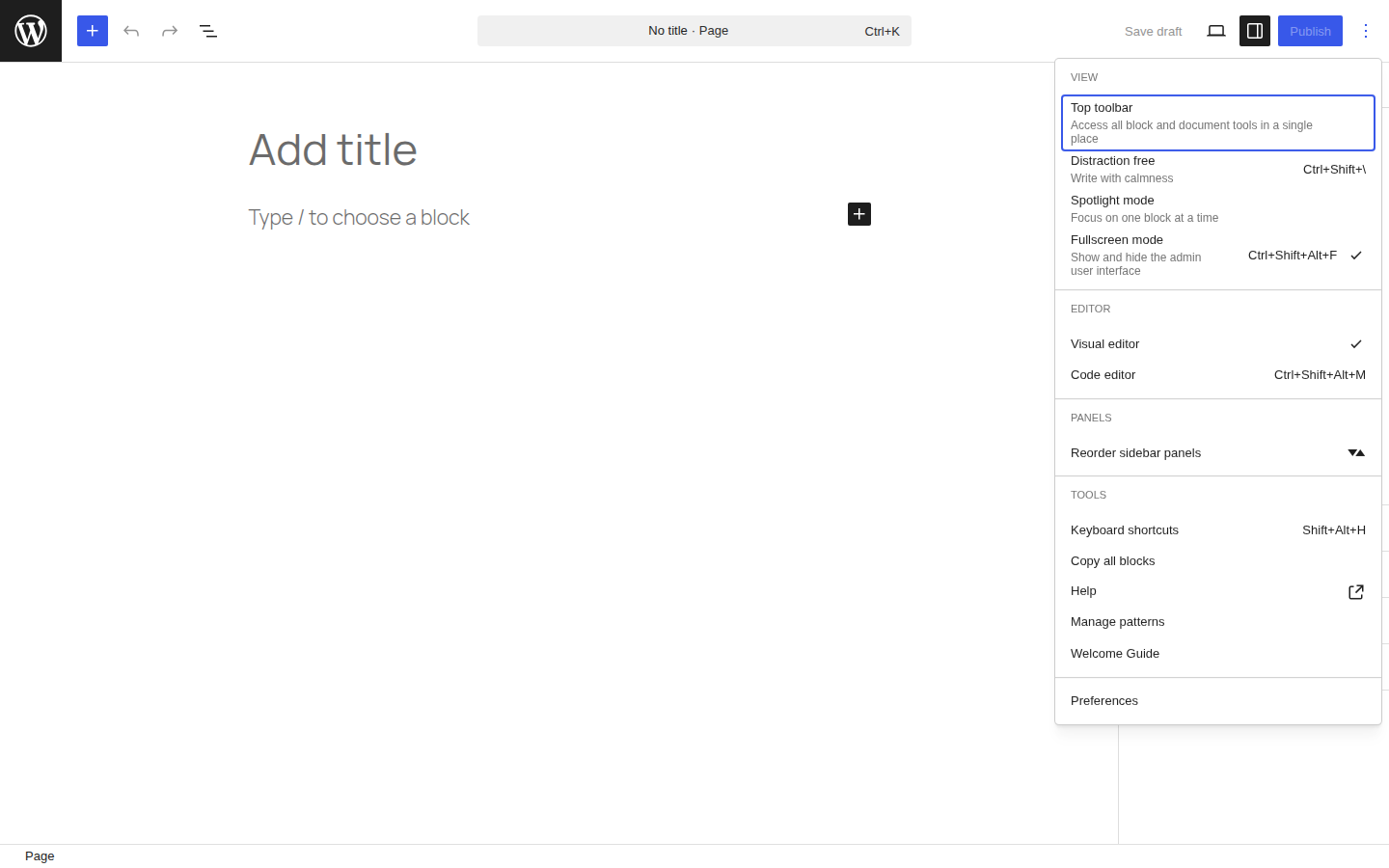
Editor toolbar → ⋮ Options → Reorder sidebar panels.
-
Every panel collapses to its title bar, so the whole stack is visible at once.
-
Move a panel:
- Mouse — drag it by its title bar.
- Keyboard — Tab to a panel's title, then ↑ / ↓. Each move is announced to screen readers.
-
Choose an action in the bar at the bottom of the sidebar.
| Action | What it does |
|---|---|
| Save for everyone | Saves this order for this post type, for all users. Applies immediately — no reload. |
| All post types | Saves the same order for every post type that uses the block editor. |
| Reset | Deletes the stored order for this post type. WordPress's own order returns. |
| Cancel | Leaves reorder mode. Nothing is saved. Esc does the same — mid-drag, Esc abandons just that drag. |
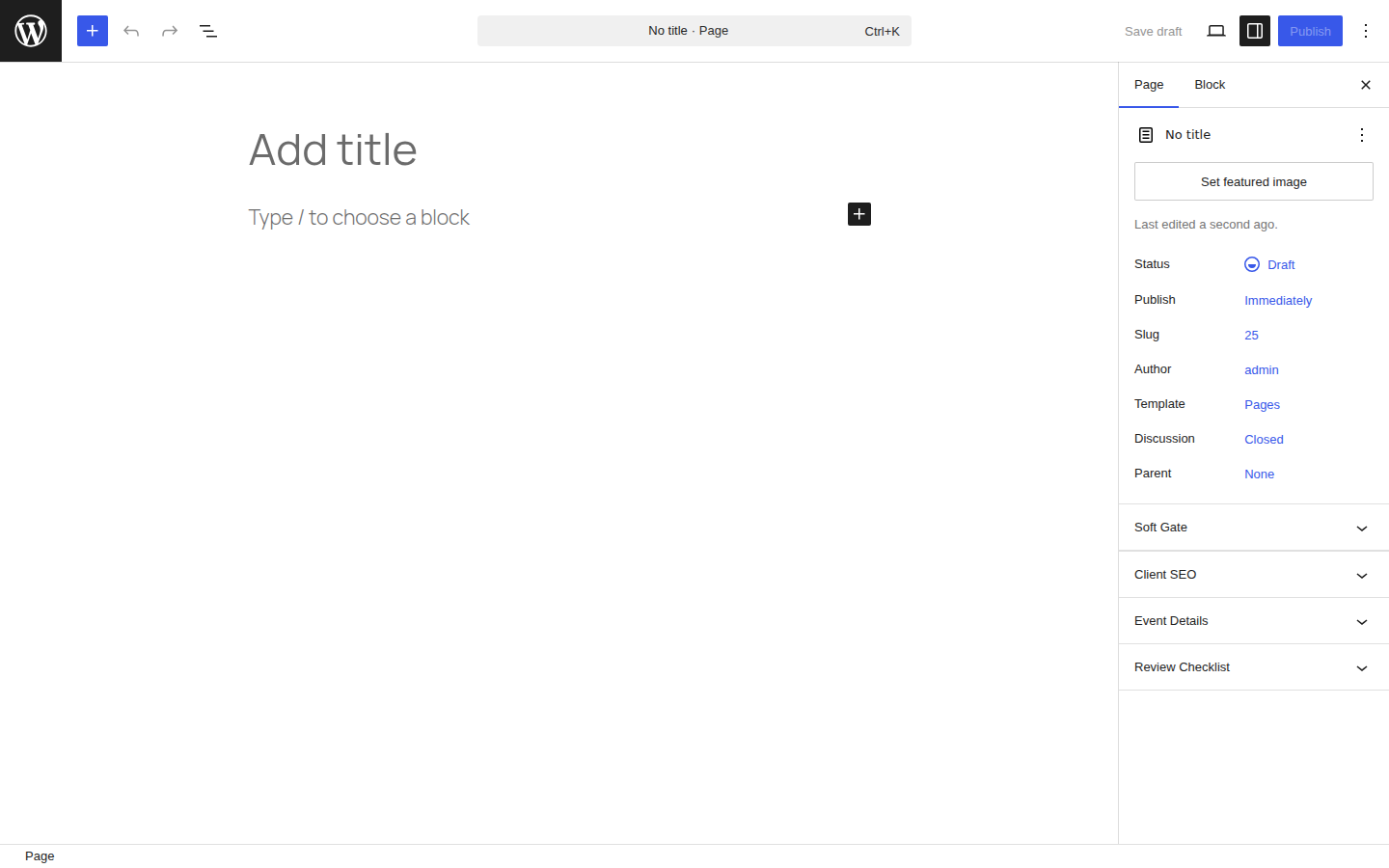
The order is per post type: Pages and Posts each keep their own, so a Page-specific panel never has to compete for a slot with a Post-specific one.
What happens to panels you did not order
A panel that is not in the saved order — a plugin activated after the order was saved, a panel that only appears on some posts — sorts after the ordered panels, in the order WordPress rendered it. It is never hidden, and never lands in a slot at random.
That is the difference between this and hand-written nth-child CSS in
Yoko Options → Admin CSS, which silently reorders the wrong panel the moment a
conditional panel appears or disappears. If a site still has such CSS, delete it —
the two will fight.
How panels are identified
Panels are matched by a derived key, never by position. The key comes from the first of these that yields something:
| Tier | Source | Example key |
|---|---|---|
| 1 | A key the panel already declares | my-panel |
| 2 | Recognised core panel content | featured-image, post-excerpt, discussion-panel, taxonomy-panel-categories |
| 3 | A plugin panel name exposed in the markup | plugin:my-plugin/my-panel |
| 4 | A class on the panel that is not WordPress's | class:seopress-panel |
| 5 | The visible panel title | title:event-details |
In practice almost every panel lands on tier 4 or 5, and that is fine: a panel's
class or its visible label is both stable and meaningful to the person dragging
it. Two panels with the same title get numbered — title:settings,
title:settings-2.
Tiers 2 and 3 rarely fire on a current WordPress. Most core panels are no longer
panels at all (they are rows in the Summary section), and
PluginDocumentSettingPanel does not render its registered name into the page.
The tiers are kept for older installs and for panels that do expose a name.
To see the keys on a site, open the editor and run this in the browser console:
yokoPanelOrderDebug()
A plugin can declare its own key with the yoko.panelOrder.panelKey JavaScript
filter:
wp.hooks.addFilter(
	'yoko.panelOrder.panelKey',
	'my-plugin/panel-key',
	( key, descriptor, element ) =>
		element.classList.contains( 'my-panel' ) ? 'my-plugin-panel' : key
);
WP-CLI
wp yoko panel_order list                     # every stored order
wp yoko panel_order list --post_type=page    # one post type
wp yoko panel_order reset --post_type=page   # clear one post type
wp yoko panel_order reset --yes              # clear everything
list prints one row per panel:
+-----------+----------+---------------------------+
| post_type | position | panel_key                 |
+-----------+----------+---------------------------+
| page      | 1        | title:review-checklist    |
| page      | 2        | featured-image            |
| page      | 3        | post-excerpt              |
+-----------+----------+---------------------------+
Where it is stored
One autoloaded option, yoko_panel_order:
{
	"post": [ "title:review-checklist", "class:seopress-panel" ],
	"page": [ "class:yoko-soft-gate-panel", "title:event-details" ]
}
REST: yoko/v1/panel-order — GET for anyone who can edit posts, POST and
DELETE for the capability holder.
Classic editor and page builders
Classic editor: nothing to do here. The document sidebar is a block editor
construct; the classic editor has metaboxes instead, which are already reorderable
by dragging, per user, and stored in each user's meta-box-order_* user meta.
Beaver Builder: unaffected. This feature touches the block editor's sidebar only and adds nothing to the front end, so it is theme- and builder-independent.
Classic metaboxes shown inside the block editor are out of scope. WordPress renders them in a separate container below the panel stack, so they cannot be dragged into it. They stay where WordPress puts them.
Limitations
- The block editor exposes no API for reordering these panels, so the feature
reads the editor's DOM. A large Gutenberg refactor may require updating the
selectors, which all live in one file (
src/yoko-panel-order/selectors.js). If the sidebar cannot be found, the feature does nothing at all — it never breaks the editor. - The order applies to the post editor's document sidebar. The site editor and the widgets screen are not covered.
- A panel with no derivable key cannot be reordered. It is shown dimmed in reorder mode rather than pretending to be draggable.
- A site with only one collapsible panel has nothing to reorder; the menu item still appears, and the mode will show a single fixed panel.
Verifying a change
Two suites cover this feature. Run both after touching it.
npm run test:js                     # 60 unit and jsdom integration tests
./dev.sh up                         # a real WordPress in Docker
node scripts/panel-order-e2e.mjs    # drives the real editor in a browser
The end-to-end script exists because the three worst bugs this feature has had — the Summary section being pushed below the panels, the action bar covering the panels it asks you to drag, and reopening the mode snapping a saved order back to the default — all passed the unit tests as they stood. Anything involving the editor's real layout has to be checked in the editor.
That last one is worth knowing about if you touch reorder mode: the order is
applied with CSS order, so the sidebar's DOM order is still whatever the editor
rendered. Anything that needs the order a user is looking at has to read the
stored order, never the DOM.
Trying it in WordPress Playground
The repository can also build a self-contained Playground demo — WordPress, the feature, and three stand-in plugin panels, with nothing to install:
npm run playground:panel-order
The script prints a playground.wordpress.net link. It opens a new Post with a
saved panel order already applied, three stand-in plugin panels, and six of the
seven taxonomies from dev/demo-taxonomies.php sharing one
consolidated panel — the seventh keeps its own. Opening a
Page instead shows WordPress defaults, ready to reorder.