Hierarchical Posts
Yoko Core has a custom way of handling Hierarchical Posts that can be turned on by adding yoko-hierarchical and page-attributes support to the CPT's registration.
Limited to 1 Child Post Layer
As of version 13.3.3, the hierarchical view in WP admin dashboard is limited to 1 layer deep. If a client needs to see pages more than 1 layer deep, then this feature may not work for them.
Setup
The Yoko hierarchical posts features are turned on via the yoko-hierarchical custom post type capability and can be added in any interface that customizes the supports value of a custom CPT declaration.
Make CPT Hierarchical via Yoko.yml
   event:
     label: Event
	 hierarchical: true
     menu_icon: dashicons-calendar-alt
     supports:
	 	- title
		- editor
		- thumbnail
		- excerpt
		- page-attributes
		- yoko-hierarchical
Make CPT Hierarchical via function
register_post_type(
	'event',
	array(
		...
		'hierarchical' => true,
		'supports' => array( 'title, editor', 'thumbnail', 'excerpt', 'page-attributes', 'yoko-hierarchical' ),
		...
	)
);
Make CPT Hierarchical via ACF
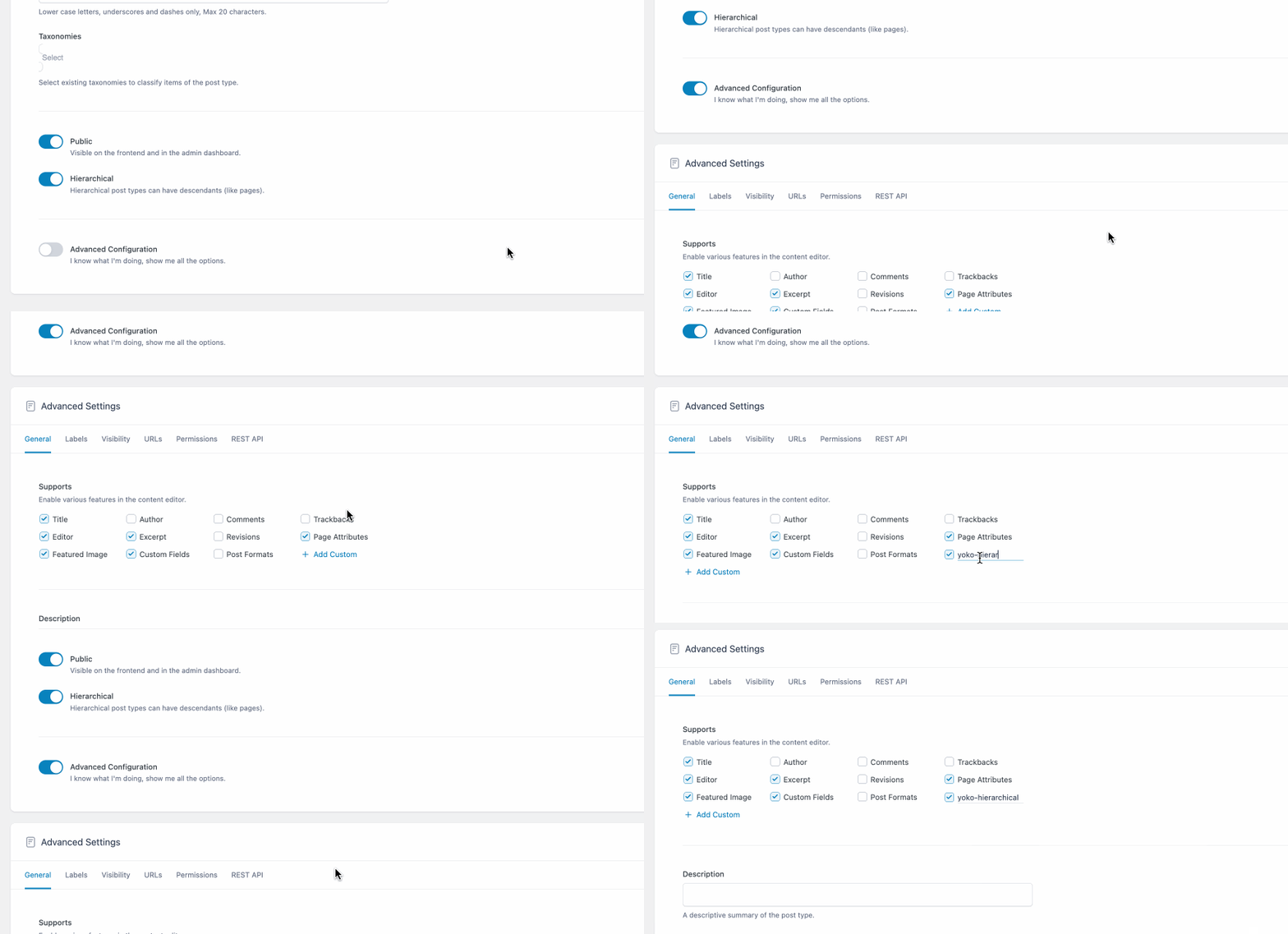
Add the yoko-hierarchical feature to the CPT "Advanced Configuration" options.
Child Posts
Child posts of hierarchical post types have a "Child Post Options" metabox that allow you to:
- Omit this post from parent menus that render all child posts
- Change the menu item label (ex. if the post title is very long)