Custom Options
These are options added by the yoko-core plugin.
Adminbar Roles
The Adminbar Roles options allows site administrators to choose which roles can see the WordPress adminbar on the site's frontend.

Custom PDF Viewer
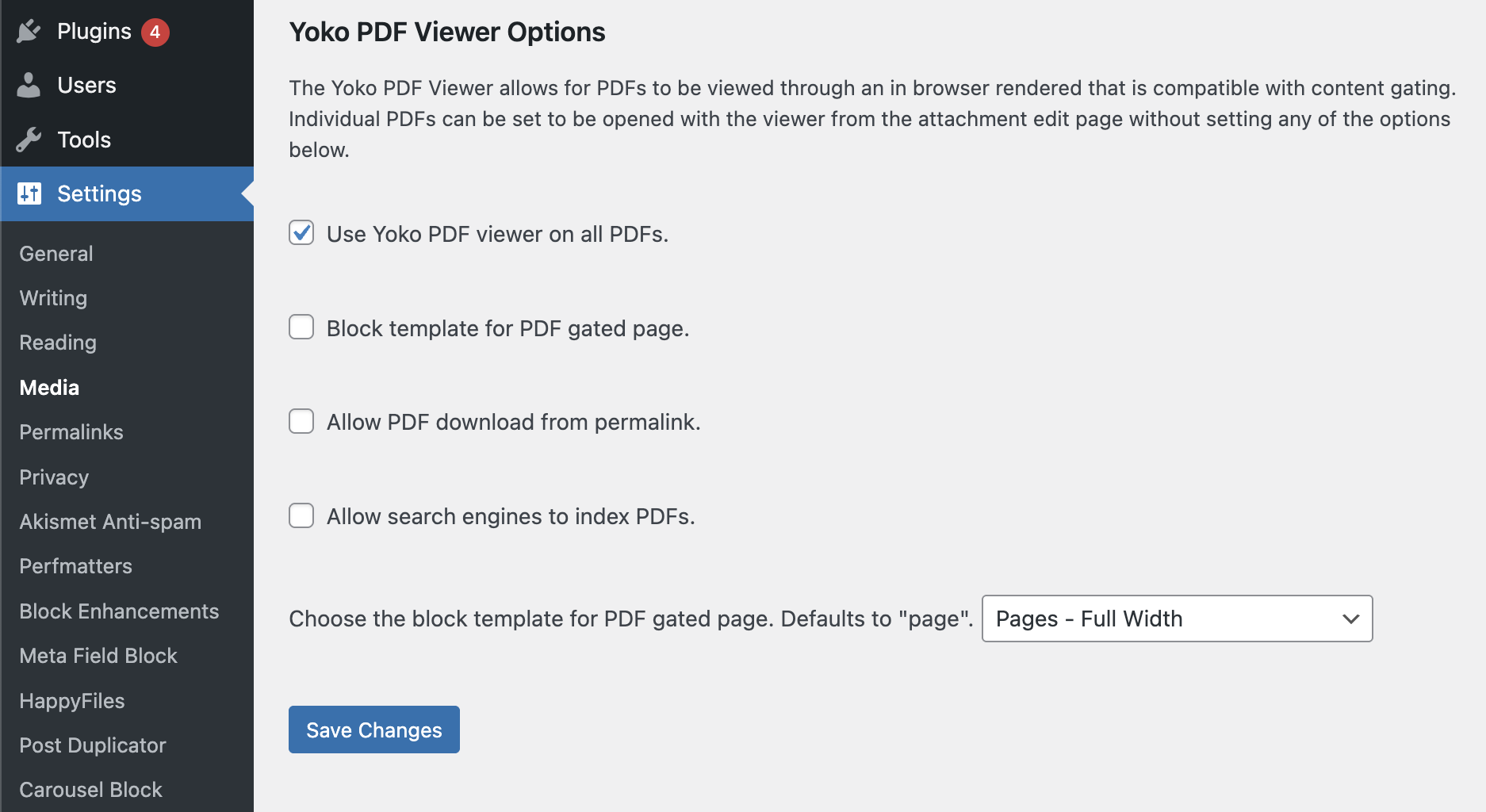
Yoko Core ships with a custom, in-browser Custom PDF viewer that has more functionality and features than most, browser native PDF viewers. This viewer can be activated from the native Settings -> Media page. It renders on the permalink of the attachment post.
WordPress natively creates a permalink for each attachment post, but this permalink is never used because the media assets files are typically linked directly from an HTML element like an <img /> tag or for download. This feature makes use of the permalink by rendering the PDF viewer on it and loading the PDF file into it via code. Hence it is important that anywhere that this PDF is linked on the site, that it is linked to the permalink, not the .pdf asset file.
Custom PDF Viewer Options
- Use Yoko PDF viewer on all PDFs. - Whether to use the built-in PDF viewer for all PDF attachment types. Choosing this option will make this the default for all PDF attachment posts types accessed via the permalink.
- Allow PDF download from permalink. - If this option is selected, but the PDF viewer option above is not, accessing the permalink URL will initiate a downlod of the attachment filed.
- Allow search engines to index PDFs. - Checking this option will add the PDF content in the JSONLD schema to the head of the attachment page to enable search engines to crawl and index the content. This is useful for websites that might want the PDF content discoverable via search, but still gated to members only.
Since the JSONLD file contains the entire text of the PDF, this means that a technical-savvy user would be able to inspect the page source and get any information on the PDF. This option should only be used for soft gating of privileged content and never used for sensitive content that might have PII or other protected information.