Theme Icons
Drop SVG files into the active theme's /icon folder and they appear in the Icon
block's library, beside the ones WordPress ships.
WordPress 7.1 has a registry for icons but no way to fill it from a theme — every
icon needs its own wp_register_icon() call in PHP. Yoko Core reads the folder
instead. Add a file, and the icon is there.
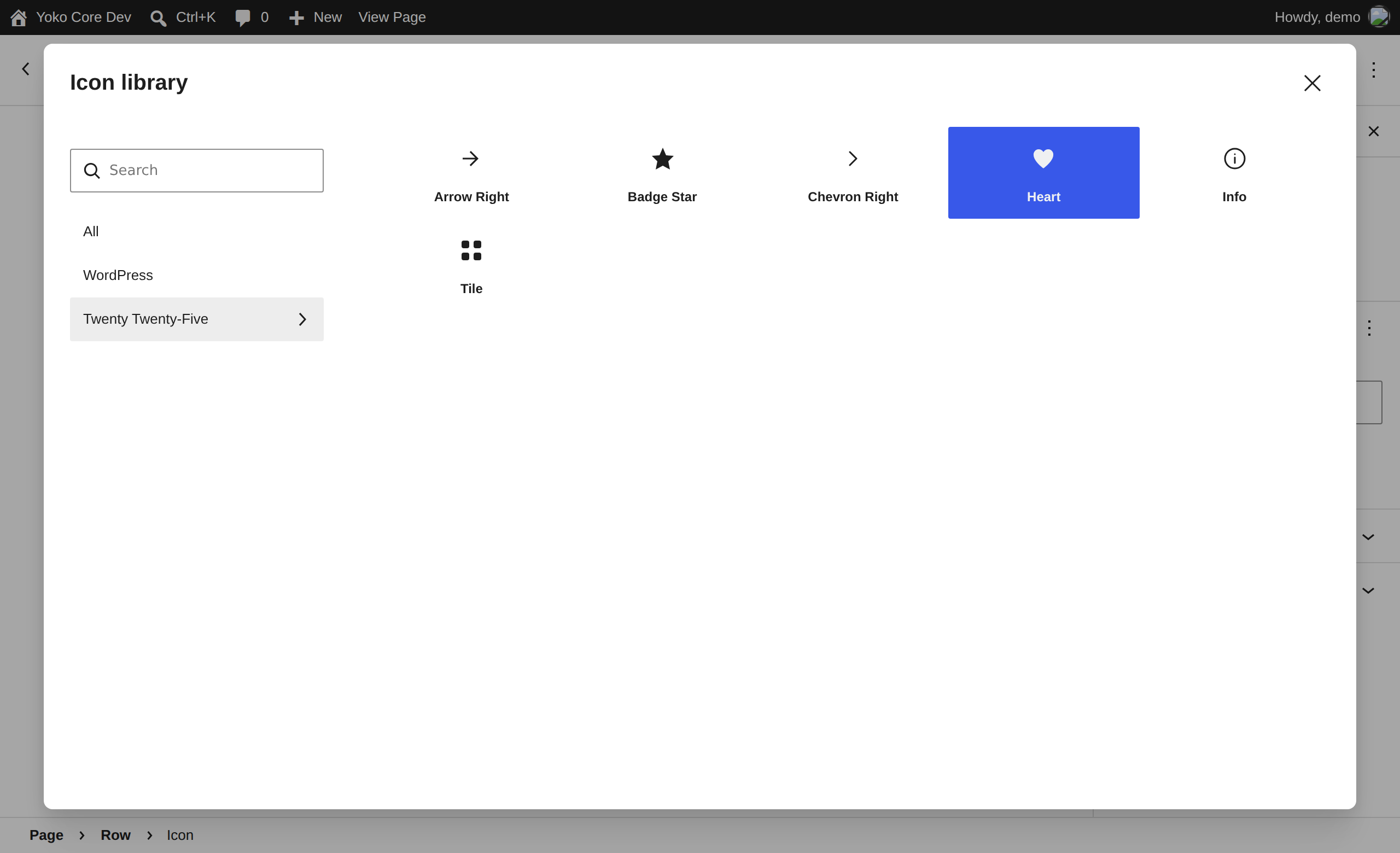
The theme's collection sits under the WordPress one, named after the theme.
Adding an icon
- Put
arrow-right.svginwp-content/themes/<your-theme>/icon/. - Add an Icon block, or select one and press Replace.
- Pick the theme's collection in the sidebar of the Icon library.
That is the whole workflow. Nothing to register, nothing to clear.
| The file | Becomes |
|---|---|
arrow-right.svg | An icon named theme/arrow-right, labelled Arrow Right |
Badge Star.svg | theme/badge-star, labelled Badge Star |
Café.svg | theme/cafe, labelled Cafe |
icons/ works as well as icon/. Both folders are read, and a child theme
wins: a file in the child replaces the parent's file of the same name, exactly
as a template does.
What it looks like
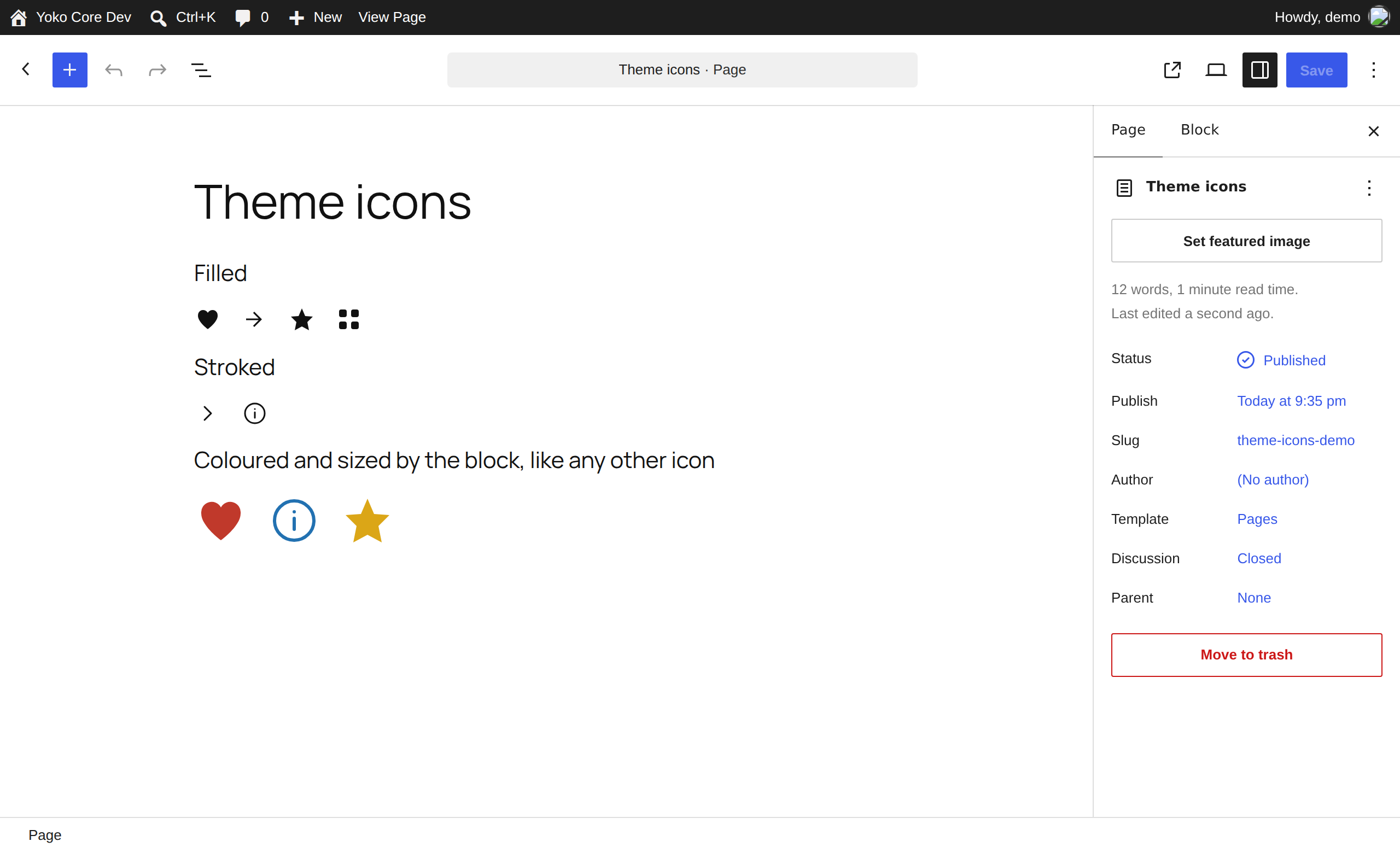
Icons behave like core's in every way — colour, size, alignment, flip and rotation all come from the block, not the file.

Colour is currentColor, so an icon takes the colour set on the block. Outlined
icons follow it too.
Which files work
WordPress does not store your SVG. It runs it through a sanitizer that keeps
<svg>, <path> and <polygon> and a handful of attributes, and silently
deletes everything else — then registers the icon anyway. A grouped or
stroked or circle-based icon comes out as a named, empty square.
Yoko Core rewrites each file into the part that survives, so most of what that sanitizer would have thrown away is kept:
| In your file | WordPress alone | With Yoko Core |
|---|---|---|
One <path>, filled | Works | Works |
<g> wrapper, with a transform | Transform dropped — icon draws in the wrong place | Pushed onto the shapes, drawn correctly |
<circle>, <rect>, <line>, <polyline>, <ellipse> | Deleted — icon is blank | Rewritten as paths |
| Stroked outline (Feather, Lucide, Heroicons outline) | Stroke dropped — icon is invisible | Works |
<title>, <desc>, comments | Deleted | Dropped, harmlessly |
fill="currentColor" on the <svg> | Dropped | Moved onto the paths, where it survives |
Some things genuinely cannot be kept. Those files are left out rather than registered blank, and every one is reported:
| Not registered | Why |
|---|---|
| Gradients and patterns | The paint lives in a <defs> the sanitizer deletes |
<text> | There is no way to express text as a path here |
<use>, <mask>, <clipPath>, <filter> | All deleted by the sanitizer |
opacity below 1 | Not an allowed attribute, so the icon would draw at full strength |
| Filled and stroked shapes in one icon | Only one of the two can be restored |
A <script> element, an on… handler, a javascript: URL | Refused outright |
A DOCTYPE or entity declaration | Refused outright |
| Malformed XML, an empty file, or one over 100 KB | Not a usable icon |
No viewBox and no width/height | Nothing to scale the icon by |
When an icon does not appear
Look at Tools → Site Health. Every file that was left out is listed there with the reason, so it is one screen rather than a guess.
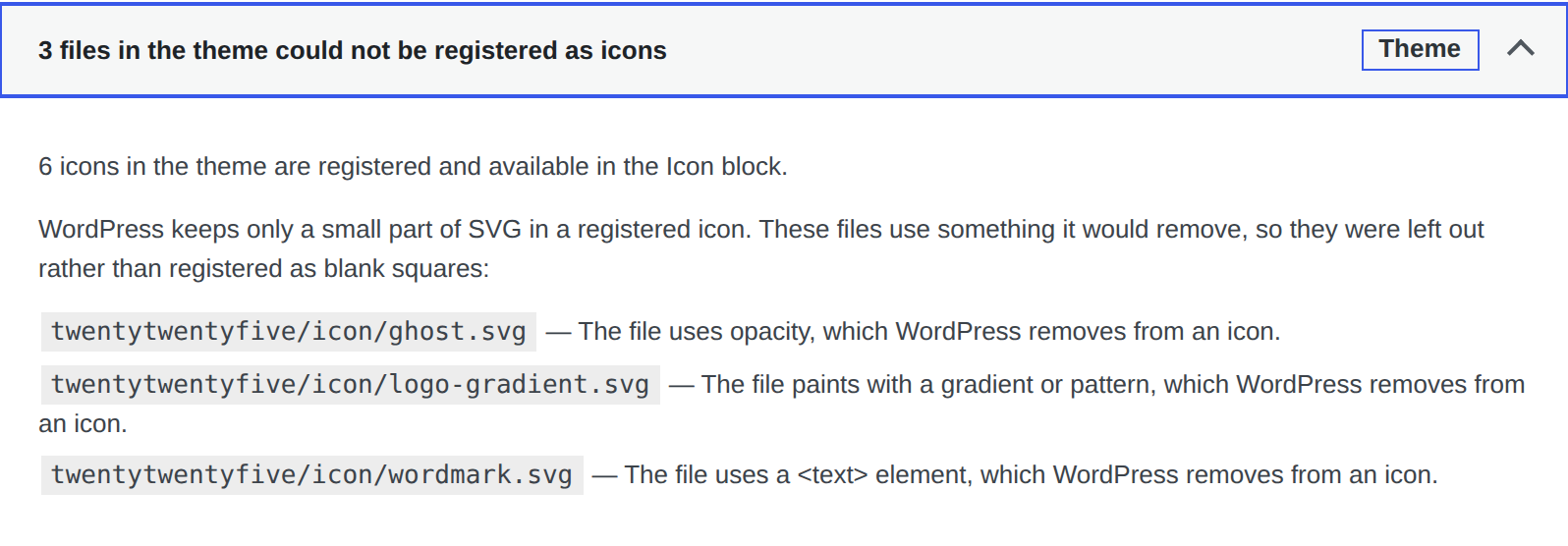
The same list is in Site Health → Info → Yoko Core: Theme icons, which is what to paste into a ticket, and on the command line:
wp yoko theme_icons              # what registered, and what did not
wp yoko theme_icons --format=json
wp yoko theme_icons flush        # re-read the folder now
Most refusals are fixed in the drawing program. Outline Stroke (Illustrator) or Flatten (Figma) turns strokes and shapes into filled paths, and flattening transparency removes the opacity. A file with real text needs the text converted to outlines.
Block editor, classic editor and Beaver Builder
The Icon block exists only in the block editor. There is no Icon block in the classic editor and none in Beaver Builder — but the icons are registered site-wide, so a template, a shortcode or a Beaver Builder module can render one in PHP:
echo wp_get_icon( 'theme/arrow-right', array(
	'size'  => 24,
	'class' => 'my-inline-icon',
	'label' => __( 'Read more', 'my-theme' ),
) );
Passing label gives the SVG role="img" and an aria-label. Leaving it out
marks the icon aria-hidden, which is right for an icon next to text that
already says the same thing.
An outlined icon's stroke is restored by a small generated stylesheet, which is printed on the front end and in the editor. In a context that loads no styles — an email, a PDF — an outlined icon renders as nothing. Filled icons are self-contained and work anywhere.
Performance
The folder is read once and cached. The cache is keyed on the files themselves — their names, sizes and modification times — so an edited icon is picked up on the next page load with nothing to clear, and an untouched folder is never opened. Switching themes and updating a theme both clear it outright.
A theme is capped at 300 icons. Past that the rest are skipped and Site Health says so.
Requirements
The icon registry is a WordPress 7.1 feature. On an older WordPress there is no
registry to fill and this does nothing at all — no collection, no scanning, no
cost. A theme with no icon or icons folder is likewise left completely alone.
PHP's DOM extension is needed to read the files. It is present in every standard PHP build.
For developers
Icons are registered as theme/<name> in a collection labelled with the theme's
name. Rewriting happens in YokoCo\ThemeIcons\Normalizer, and the fixtures in
tests/fixtures/theme-icons/ are both the test cases and a worked example of
each kind of file.
| Hook | Type | Use |
|---|---|---|
yoko_theme_icons_directories | filter | The folder names scanned. Default [ 'icon', 'icons' ] |
yoko_theme_icons_manifest | filter | The icons after rewriting, keyed by name. Change a label, add one, drop one |
yoko_theme_icons_collection | filter | The collection slug. Changing it renames every icon, so anything already saved stops resolving |
yoko_theme_icons_stylesheet | filter | The generated rules for outlined icons, before they are printed |
Deactivating Yoko Core unregisters the icons; the files are untouched, and any block referencing one falls back to rendering nothing until it is re-pointed.