Stretched Links
Makes a whole block clickable by expanding one link inside it to cover the block — the Bootstrap "stretched link" pattern, for cards and any other container.
Yoko Core owns the mechanic. Themes own the look. The entire integration surface is two CSS classes, and a theme never has to reimplement the behavior.
For editors
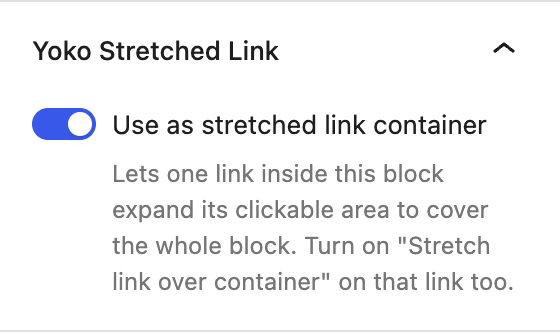
Two toggles, both in a Yoko Stretched Link panel in the block inspector.
- Select the container — a Group, Columns, or Column block — and turn on Use as stretched link container.
- Select the link inside it — a Button, Post Title, Heading, or Read More — and turn on Stretch link over container.
That's it. The whole container now follows that link.
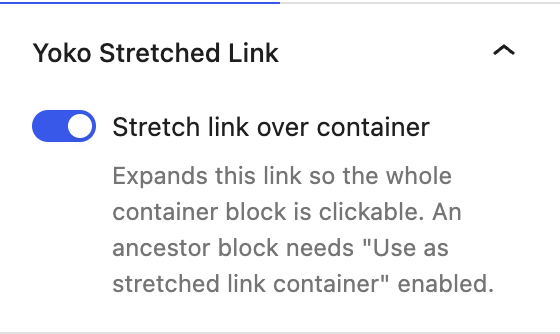
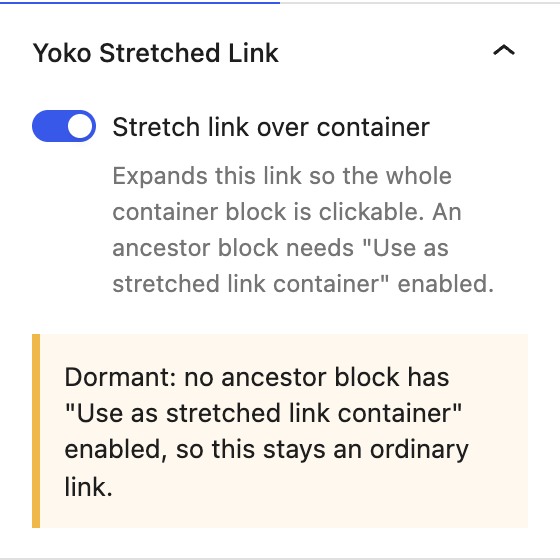
The two toggles are independent on purpose: a link set to stretch with no container ancestor stays an ordinary link rather than expanding into whatever happens to be around it. The inspector says so directly when that happens.
Seeing the pairing in the editor
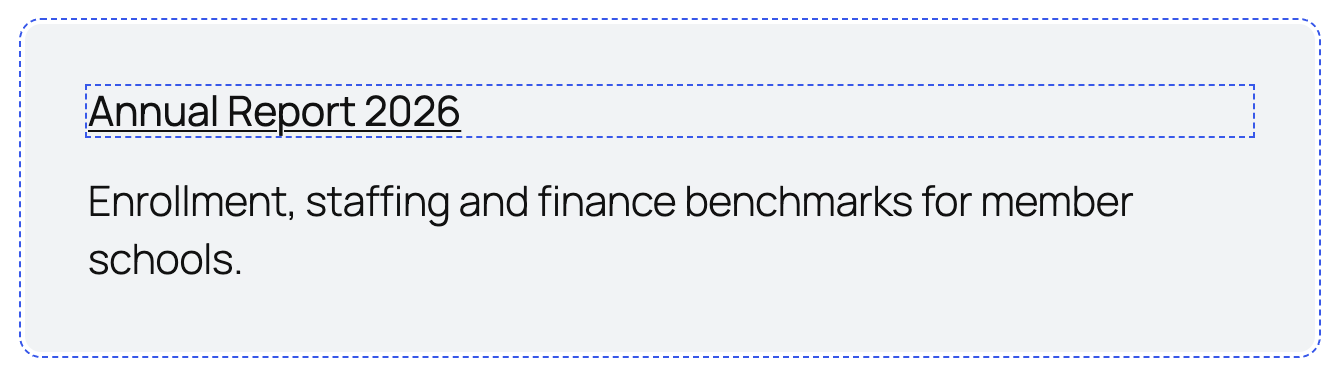
In the editor canvas, a designated container is outlined with a dashed border and so is the link filling it, so the pairing is visible without selecting each block in turn.
Warnings the panel shows
| Warning | Meaning |
|---|---|
| Dormant: no ancestor block has "Use as stretched link container" enabled | The link toggle is on but nothing will change. Turn the container toggle on too. |
| No link inside this block is set to stretch yet | The container is designated but nothing inside it stretches, so nothing is clickable. |
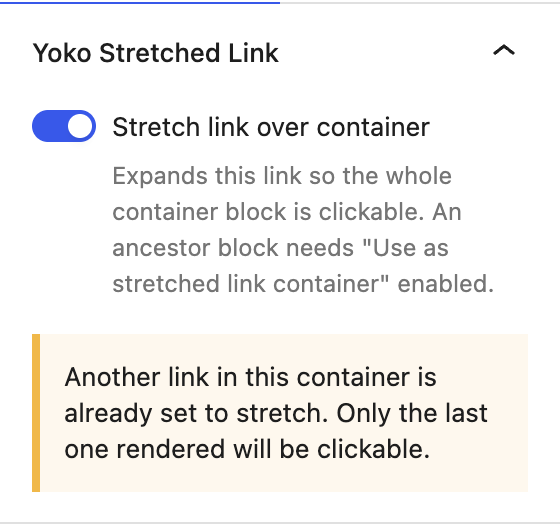
| Another link in this container is already set to stretch | Two links are competing. Only the last one rendered wins — turn the others off. |
| This block has no link yet | The block needs a URL before there is anything to stretch. |
Things worth knowing
- Other links inside the container keep working. Taxonomy terms, icon buttons, and form controls are lifted above the overlay automatically.
- Selecting text inside the container is harder, because the overlay sits above the text. That is inherent to the pattern, not a bug.
- Only one link per container. A second one silently wins over the first, which is why the panel warns.
- Prefer stretching the title over the button. The title text is the better accessible name for the link a screen reader announces.
- Nested groups are fine. A card built as an outer group holding an inner group for its padded content used to have its click area stop at the inner group, because core positions every constrained group. The plugin now takes the wrappers between the link and its container out of the running — see Wrappers between the link and the container below.
- Cover blocks are not offered. A Cover positions its own inner container for its background layers, so designating one would be asking for trouble even now. Wrap the Cover in a Group and designate the Group instead.
What keyboard users see
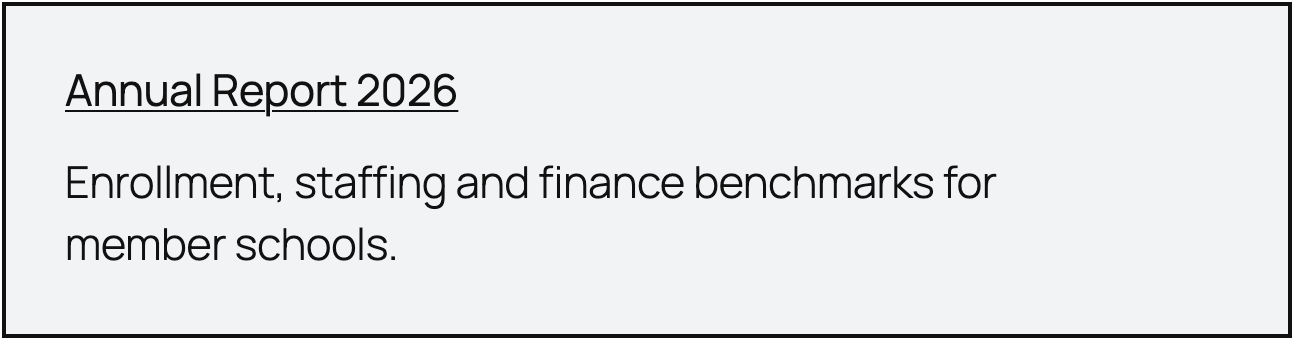
Tabbing to a stretched link outlines the whole container, not just the link text, so the highlight matches the area that will actually respond to a click.
Wrappers between the link and the container
The click area is an overlay on the link, stretched to the edges of its nearest positioned ancestor. That is normally the container — but core positions more elements than it looks like, and this rule ships with every block theme:
:where( .wp-block-group.wp-block-group-is-layout-constrained ) {
	position: relative;
}
Constrained is the default group layout, so the ordinary way to build a card —
Group  ← designated as the container
└── Group (constrained)  ← core makes this positioned
    ├── Heading  ← the stretched link
    └── Paragraph
— put a positioned element between the link and the container, and the click area stopped at the inner group. The container's own padding did nothing. Measured on that shape, one point in five across the card activated the link.
The plugin now resets position on exactly the elements between the link and its
container, so the overlay reaches the container again. A group that is positioned
for its own reasons but does not contain the stretched link is untouched.
Two cases it cannot fix, and what to do instead:
| Case | What happens | What to do |
|---|---|---|
A wrapper between the link and the container has a transform, filter, backdrop-filter, perspective, contain or will-change | That element becomes the containing block whatever its position is, and the click area stops there. A hover transform does it only while hovered, which looks like the card flickering | Put the transform on the container itself. That is where a card's hover treatment belongs anyway |
| A wrapper between them genuinely needs its own positioning — an absolutely placed badge, a sticky header | Resetting it would move that child | Add yoko-link-keep-position to that wrapper. The click area then stops there deliberately, and the badge stays put |
In DevTools the symptom is unmistakable: inspect the ::after on the stretched
link and its box will match some inner element rather than the container.
For theme developers
Yoko Core adds two classes at render time and ships no hover styling at all:
| Class | On | Meaning |
|---|---|---|
yoko-link-container | the container block | this element is the click area |
yoko-stretched-link | the anchor | this link's hit area is stretched |
Style the affordance against the container:
.yoko-link-container:hover {
	/* the theme's own card hover treatment */
}
The plugin's own stylesheet only does the mechanical work — position: relative
on the container, the absolutely positioned ::after overlay, raising other
interactive descendants above it, and moving the keyboard focus ring off the
link text and onto the overlay so it traces the real click target. It loads only
on pages that actually contain a designated container.
Hover and active transitions
Because the container is the click area, one transition on the container covers everything inside it — the same result the Card block gets from being a link, without giving up the card's other links.
.yoko-link-container {
	transition:
		background-color 250ms ease,
		box-shadow 250ms ease,
		transform 250ms ease;
}

/* :hover and :active both propagate from the stretched link to its ancestors,
   so the container gets them even though it is a div. */
.yoko-link-container:hover,
.yoko-link-container:focus-within {
	box-shadow: 0 14px 28px rgba( 15, 23, 42, 0.18 );
	transform: translateY( -6px );
}

.yoko-link-container:active {
	transform: translateY( -1px );
	transition-duration: 80ms;
}
| State | Selector | Why |
|---|---|---|
| Hover | .yoko-link-container:hover | the overlay covers the container, so hovering anywhere hits it |
| Active | .yoko-link-container:active | :active on the overlay propagates to its ancestors |
| Keyboard | .yoko-link-container:focus-within | the container is not focusable itself; the stretched link inside it is |
Descendant selectors work from there — .yoko-link-container:hover img zooms the
card image. The Cards page on the
Playground demo site has all three states
running next to the Card block's.
Filters
// Which blocks can carry a stretched link.
add_filter( 'yoko_core_stretched_link_blocks', function ( $blocks ) {
	$blocks[] = 'core/post-excerpt';
	return $blocks;
} );

// Which blocks can act as the click area.
add_filter( 'yoko_core_stretched_link_container_blocks', function ( $blocks ) {
	$blocks[] = 'core/cover';
	return $blocks;
} );
Both lists are handed to the editor as well as the render filters, so a block added by either filter gets its toggle and its markup together.
core/query, core/post-template, and core/comment-template can never be
containers. Each renders every item of a loop inside one wrapper, so a single
overlay would cover an entire feed instead of one card — filtering them in is
refused rather than honored.
Auditing a site
A stretched link fails quietly by design, which is right for visitors and wrong for support: "the card isn't clickable" looks exactly like "nobody set it up".
wp yoko stretched-links audit
Reports every dormant link, every container with nothing to stretch, and every
container holding competing links, with the post ID for each. Accepts
--post_type=<type> and --format=<format>.
Debugging
- View source and search for
yoko-link-containerandyoko-stretched-link. Both present but not clickable usually means the theme overrodepositionon the container, or a closer descendant became the containing block. Positioned descendants are handled; one carrying a transform or a filter is not — see Wrappers between the link and the container. - With
WP_DEBUGon,debug.logcarries[yoko-core] stretched-link:lines when a toggle is on but the block rendered no linked anchor.