Soft Gate (Email Access Links)
A cache-friendly, lead-generation alternative to the role-based Content Gating hard gate. The visitor gives an email address, gets a magic link, and reads the content for a configurable number of days.
Logged-out visitors only. Nothing is emitted for a logged-in visitor — no blur, no dialog, no assets — so the gate never stands between an editor or a member and their own content.
PHP always serves the full content. Every logged-out visitor gets a byte-identical response, so the NGINX page cache and any CDN work normally. The gate is applied in the browser. Varying on login state is safe because logged-in requests bypass the page cache entirely.
The full content is in the HTML of every response, so it is readable by anyone who views source, disables JavaScript, or deletes a cookie. Soft gating buys friction, not privacy. Anything that must stay private needs the hard gate, which filters server-side.
What a visitor sees
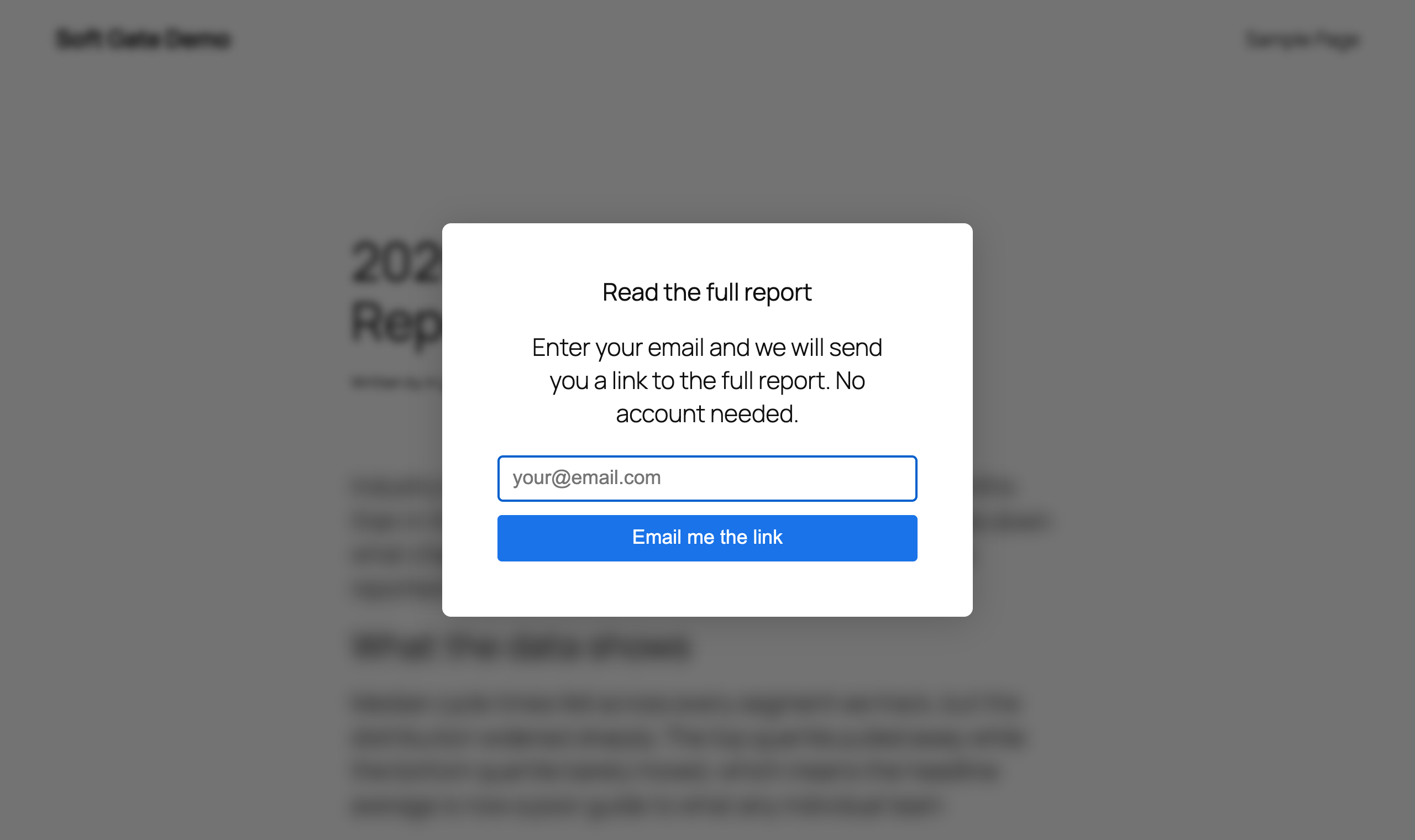
Default state: the article blurred and clipped behind the dialog. Headline, message and button text all come from the settings below.
After submitting:
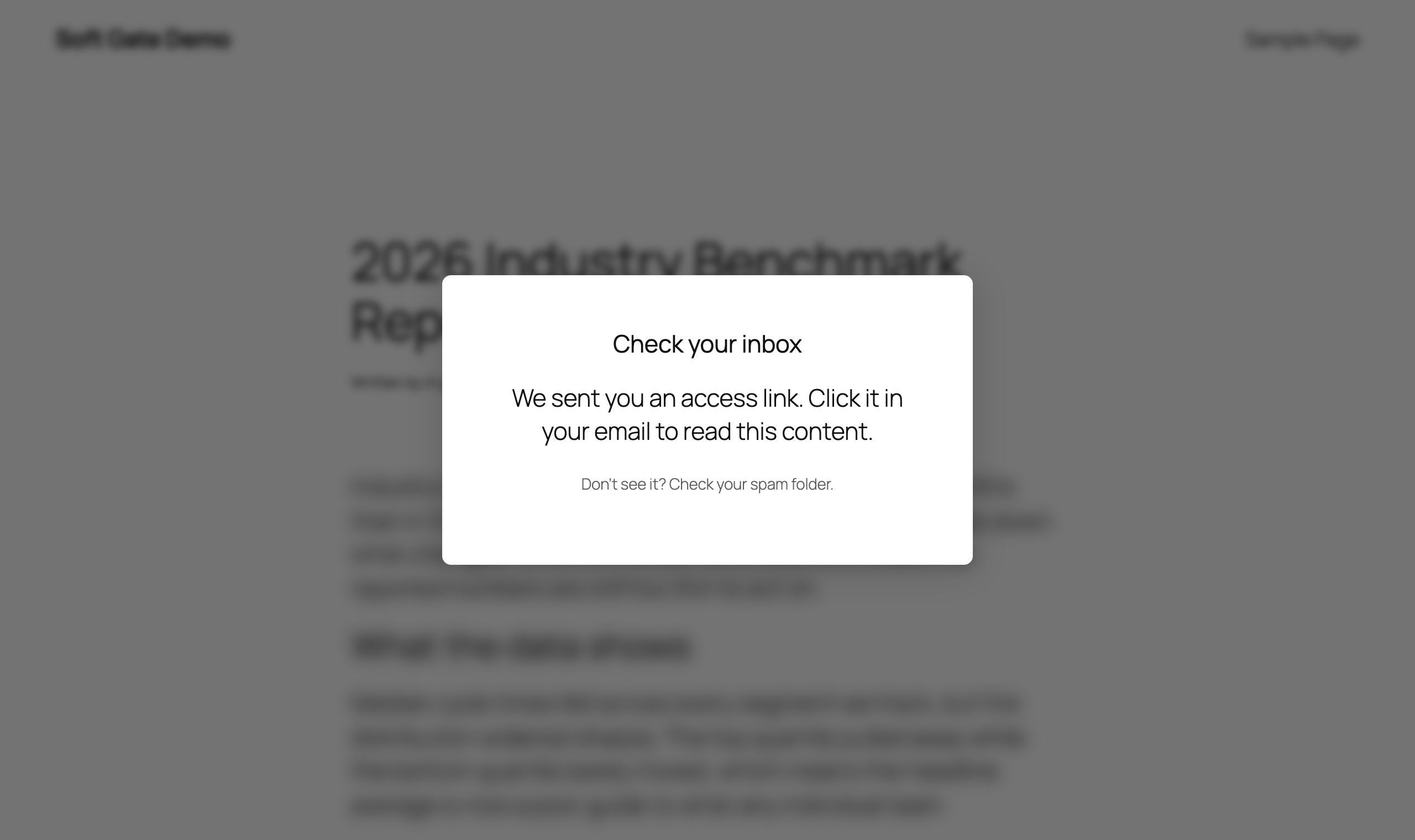
Success stage. This copy is fixed, not configurable.
After clicking the emailed link:
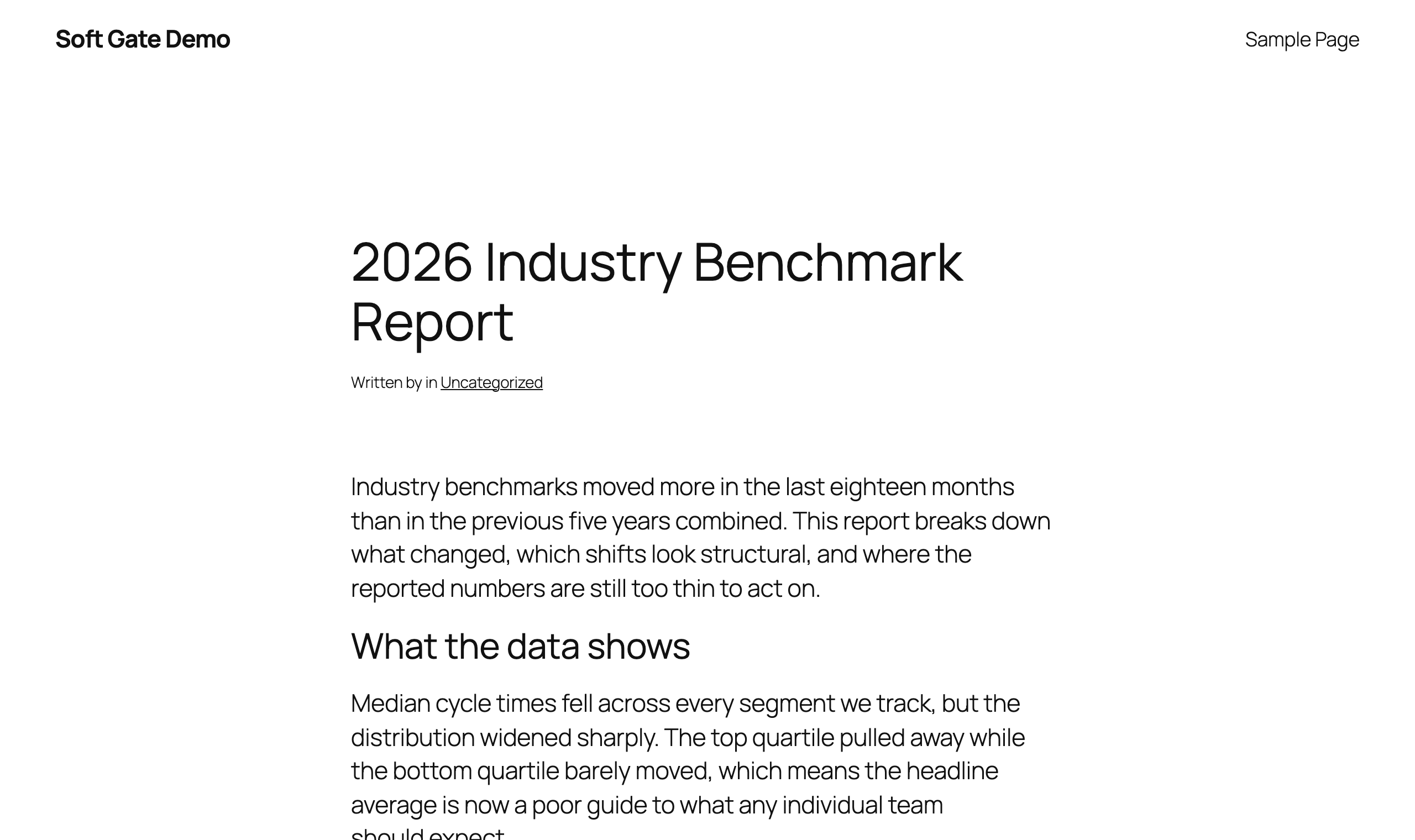
Access granted: blur gone, ?yoko_token= stripped from the URL.
Shot on a stock block theme, so the dialog shows its unstyled defaults. On a real site it inherits the theme's colors and fonts — see Theming the gate.
Error states
Failures appear inline under the button; the dialog stays put so the visitor can retry.
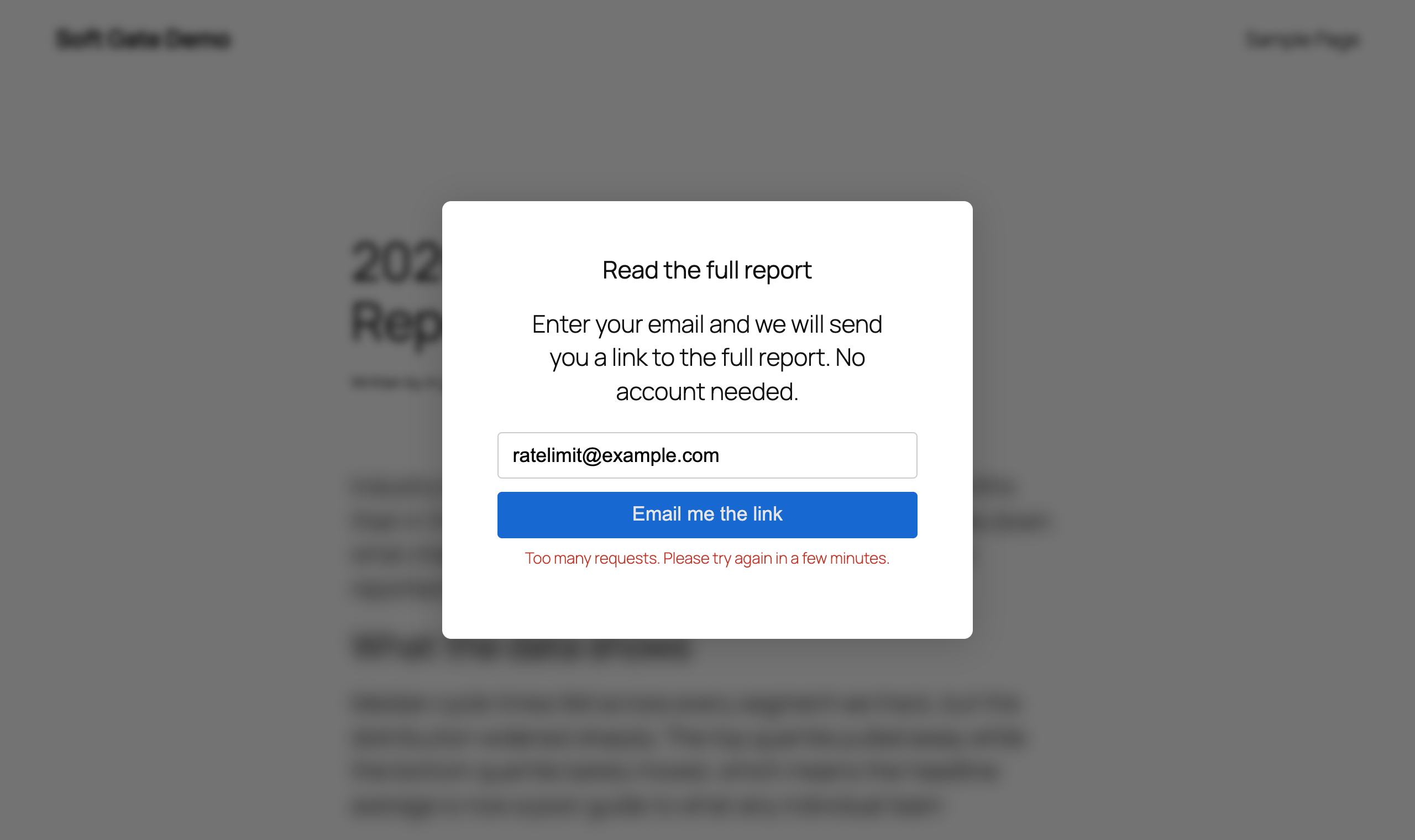
Rate limiting is the one visitors actually hit: three requests per IP and three per email address, per ten minutes.
How it works
- PHP renders the full content, a synchronous script in
<head>, and a hidden dialog in the footer. - That head script reads the
yoko_soft_gate_accesscookie before first paint. No valid cookie, and no bypass cookie → it addsyoko-soft-gate-armedto<html>, blurring the content before anything appears. - The deferred bundle then clears that class (valid cookie) or adds
soft-gate-activeto<body>to reveal the dialog. - The visitor submits an email. Yoko Core generates a 256-bit token, stores only its SHA-256 hash, and emails
?yoko_token=…viawp_mail()or a Gravity Forms notification. - Clicking the link validates the token over REST, writes the access cookie, and strips the token from the URL. Later visits need the cookie only — no server round-trip.
Only step 4 and the token check in step 5 touch the server. Everything else comes from cache.
Blurring from the deferred bundle would flash the full content on every load. The head script also carries a five-second watchdog: if the bundle never loads it releases the blur, so a broken deploy degrades to "no gate" rather than "unreadable page".
Enabling soft gating
Soft gating needs two switches on: the master toggle, and a post type in one of the two post-type lists.
- Go to Settings → Content Gating and find the Soft Gate (Email Access Links) section.
- Set Enable Soft Gate to Enabled. Nothing below it applies — or is even visible — until you do.
- Choose the post types, using whichever of the two lists fits:
| Setting | What it does |
|---|---|
| Enable Soft Gate by post type | Gates every post in the type. Individual posts can opt out. |
| Enable Ad-Hoc Soft Gate by post type | Gates nothing on its own. Lets individual posts opt in. |
A post type in neither list gets no Soft Gate controls at all — no metabox, no sidebar panel. That is deliberate: the metabox is tall, and most post types on a site will never be gated.
Whether a given post ends up gated, in order — the first line that matches wins:
| Condition | Result |
|---|---|
| Master toggle off | Not gated |
| Post has hard-gate roles | Not gated (the hard gate takes the post) |
| Post's type is in the wholesale list, post is excluded | Not gated |
| Post's type is in the wholesale list | Gated |
| Post's type is in the ad-hoc list and the post opted in | Gated |
| Otherwise | Not gated |
Take a post type off the ad-hoc list and its posts stop being gated, opted in or not. They have to: the per-post control is hidden on an unlisted type, so honoring the meta would leave a gated post with nothing anywhere to switch it back off. The meta is kept, not cleared — put the type back and the opt-ins take effect again.
Logged-out visitors, and only them. A logged-in user — administrator, editor, member — always gets the full content with no gate. Test logged out or in a private window; being signed in is not a valid test of the gate.
If a post has any roles selected under Limit access to the following roles, soft gating does not run on that post at all — the hard gate stays the only access layer. This applies even when the post's type is selected under Enable Soft Gate by post type. The two gates never combine on one post.
Global settings
All of these live in the Soft Gate (Email Access Links) section of Settings → Content Gating. Most can be overridden per post.

With Enable Soft Gate set to Disabled, everything below it is hidden.
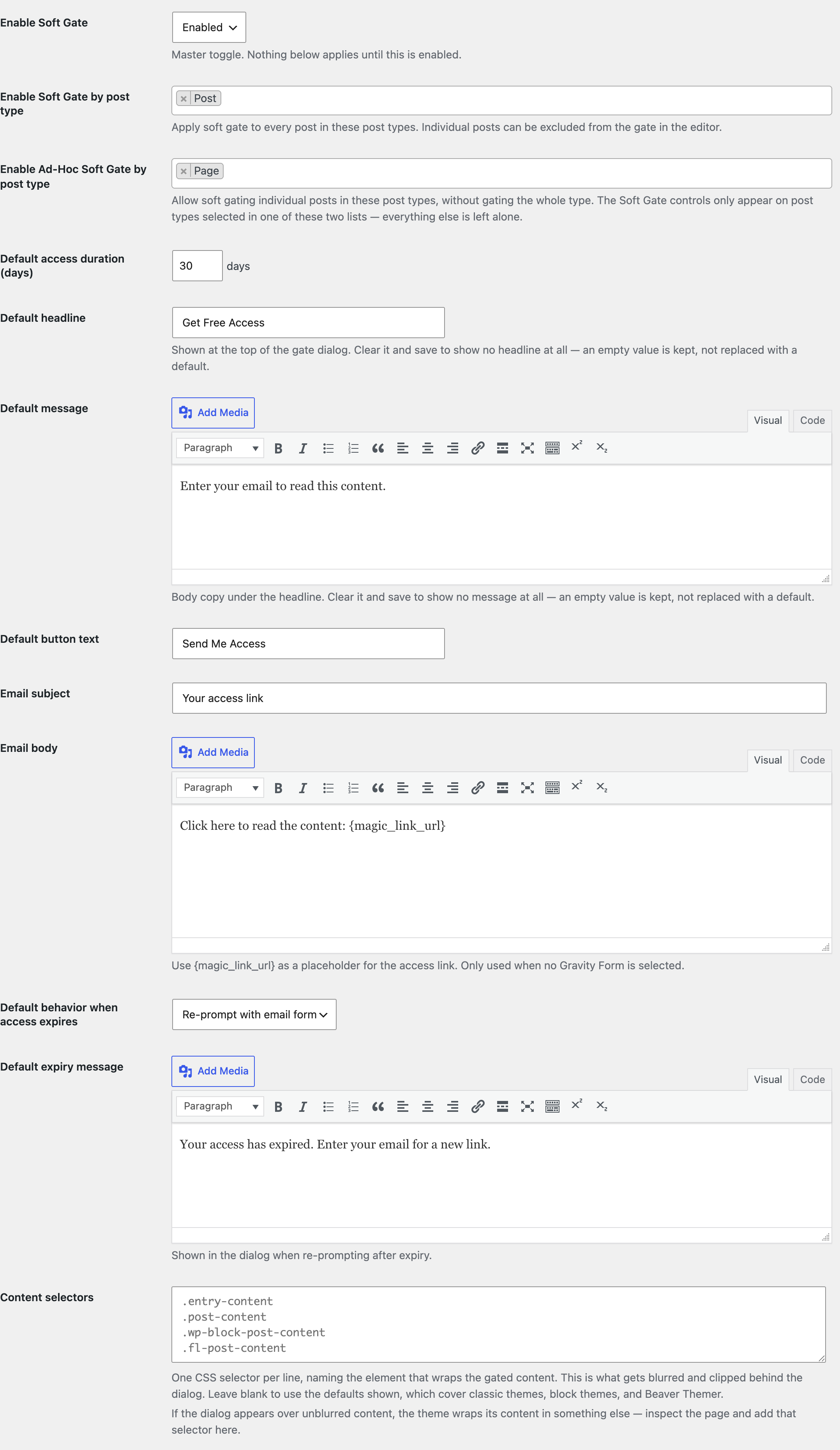
Switched on, with Post gated wholesale and Page allowed ad-hoc. Fields that do not apply to the current configuration stay hidden — the expiry behavior here is Re-prompt, so the blocked message and its element selectors are not shown, and there is no Gravity Form dropdown because Gravity Forms is not installed on the demo site.
| Setting | Default | Description |
|---|---|---|
| Enable Soft Gate | Disabled | Master toggle. Nothing happens on any post until this is Enabled. |
| Enable Soft Gate by post type | (none) | Multi-select of public post types. Every post in a selected type is soft gated without touching individual posts. |
| Enable Ad-Hoc Soft Gate by post type | (none) | Multi-select of public post types. Gates nothing by itself — it makes the per-post opt-in available, and it is what puts the Soft Gate controls on the editing screen. |
| Default access duration (days) | 30 | How long access lasts after a magic link is clicked, and the lifetime of the link itself. Global only — access is site-wide, so a per-post value would set a site-wide window from whichever post issued the link. |
| Default Gravity Form | None | Embed a Gravity Form in the dialog instead of the built-in email field. Only shown when Gravity Forms is active. See Gravity Forms + Soft Gate. |
| Default headline | Get Free Access | Dialog headline. Clear it to show no headline — an empty value is kept, not replaced with the default. |
| Default message | Enter your email to read this content. | Dialog body copy. Clear it to show no message. |
| Default button text | Send Me Access | Submit button label. Hidden when a Gravity Form is selected — the form supplies its own button. |
| Email subject | Your access link | Subject for the built-in wp_mail() path. Hidden when a Gravity Form is selected. |
| Email body | Click here to read the content: {magic_link_url} | Body for the built-in wp_mail() path. Use {magic_link_url} where the link should go. Hidden when a Gravity Form is selected. |
| Default behavior when access expires | Re-prompt with email form | One of Re-prompt, Show login prompt, or Block access — see below. |
| Default expiry message | Your access has expired. Enter your email for a new link. | Shown in the dialog when the behavior is Re-prompt. |
| Default blocked message | Your access has expired and this content is no longer available. | Shown when the behavior is Block access. |
| Content selectors | (empty → built-in list) | One CSS selector per line, naming the element that wraps the gated content — this is what gets blurred and clipped behind the dialog. Blank uses the built-in list, which covers the three common cases (see below). |
| Remove/hide elements | (empty) | One CSS selector per line. When Block access fires, matching elements are replaced with a pixelated image of themselves. |
Which content selector applies to your site
The blur has to target the theme's own content wrapper, and that wrapper differs by how the site is built. The built-in list covers all three, so most sites need no configuration:
| Site type | Wrapper | In the built-in list |
|---|---|---|
| Block theme (full-site editing, Twenty Twenty-Four/Five) | .wp-block-post-content | Yes |
Classic theme (the_content() in a PHP template) | .entry-content or .post-content | Yes |
| Beaver Themer — most Yoko client sites | .fl-post-content | Yes |
| Other page builders (Elementor, WPBakery, Divi) | Builder-specific | No — add it |
Run this on the gated post. 0 means the blur is landing on nothing; inspect the article body and add its wrapper to Content selectors.
document.querySelectorAll( '.entry-content, .post-content, .wp-block-post-content, .fl-post-content' ).length
Depending on where you clear it:
| Where | Blank means |
|---|---|
| Site-wide (Settings → Content Gating) | Show nothing there. A cleared Default headline renders no headline; a cleared Default message renders no body copy. |
| Per post (sidebar panel or metabox) | Inherit the site-wide value — which is what the Uses global default placeholder is telling you. |
Only the headline and message can be cleared this way. Default button text keeps its fallback when blank, because a button with no label is unusable, and the expiry and blocked messages keep theirs too.
Expiry behaviors
What the visitor sees once the access cookie has lapsed.
Re-prompt with email form
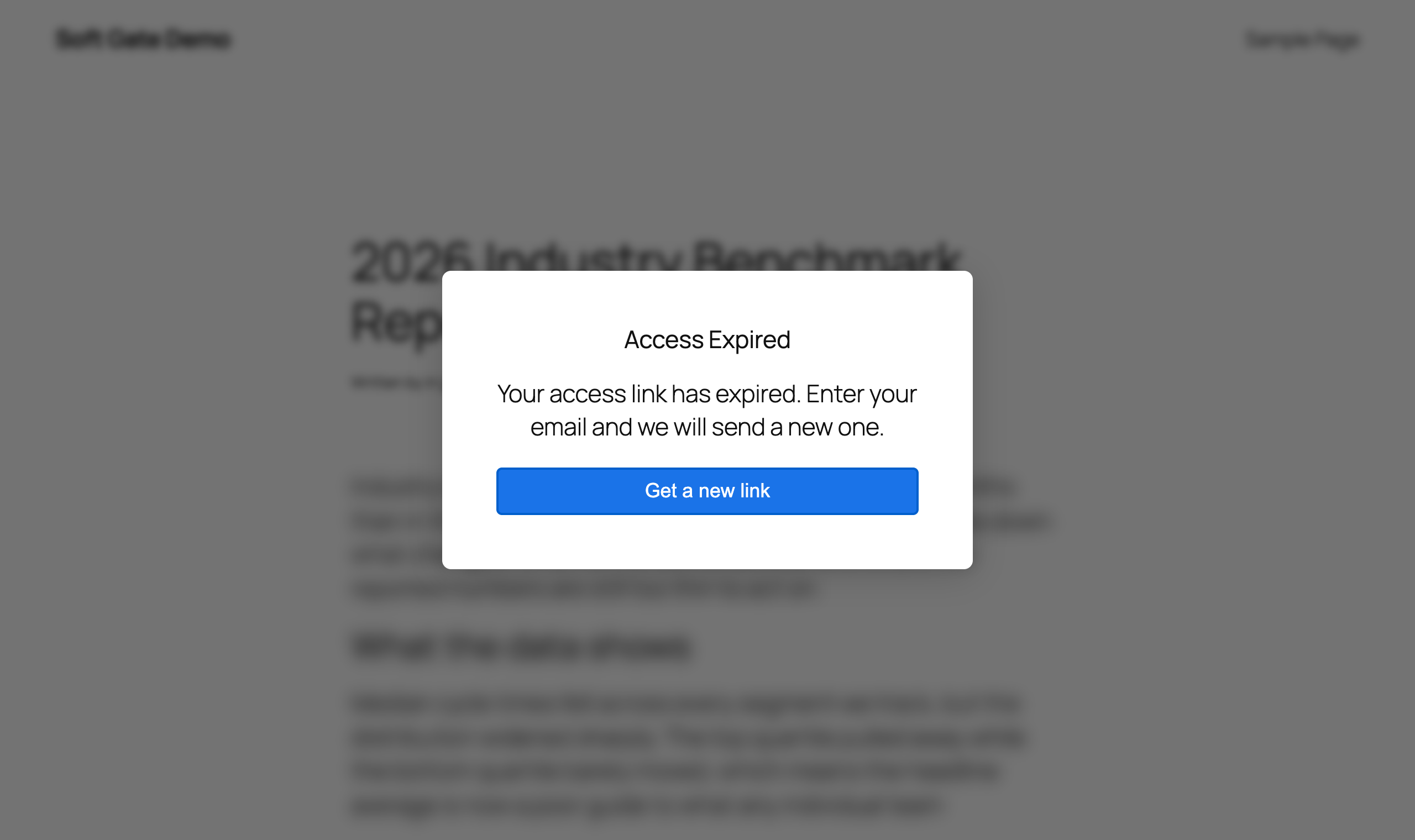
Uses the Default expiry message. The button returns them to the email form.
Show login prompt
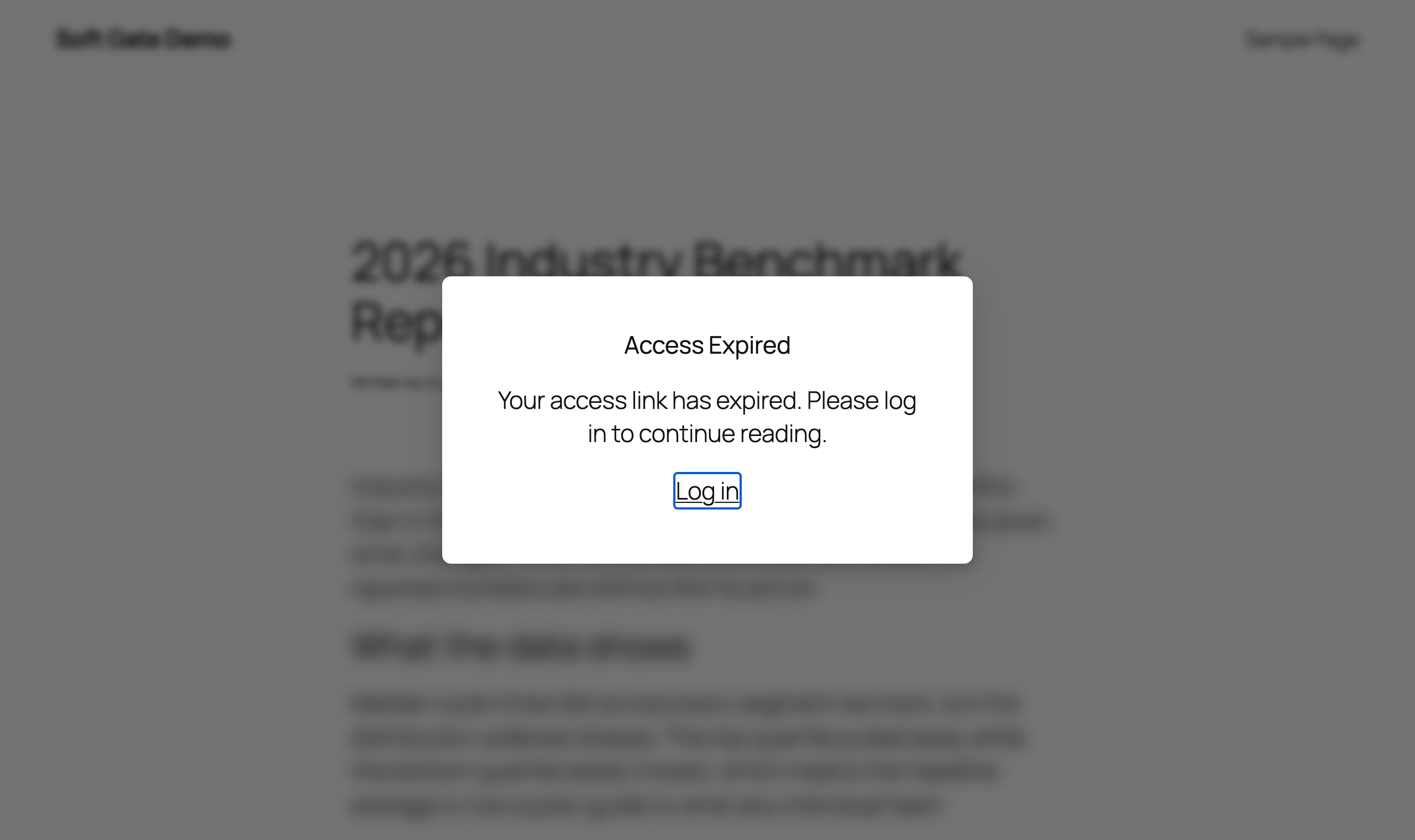
Fixed copy plus a wp-login.php link that redirects back to the post. Use it when expired leads should convert into real accounts.
Block access
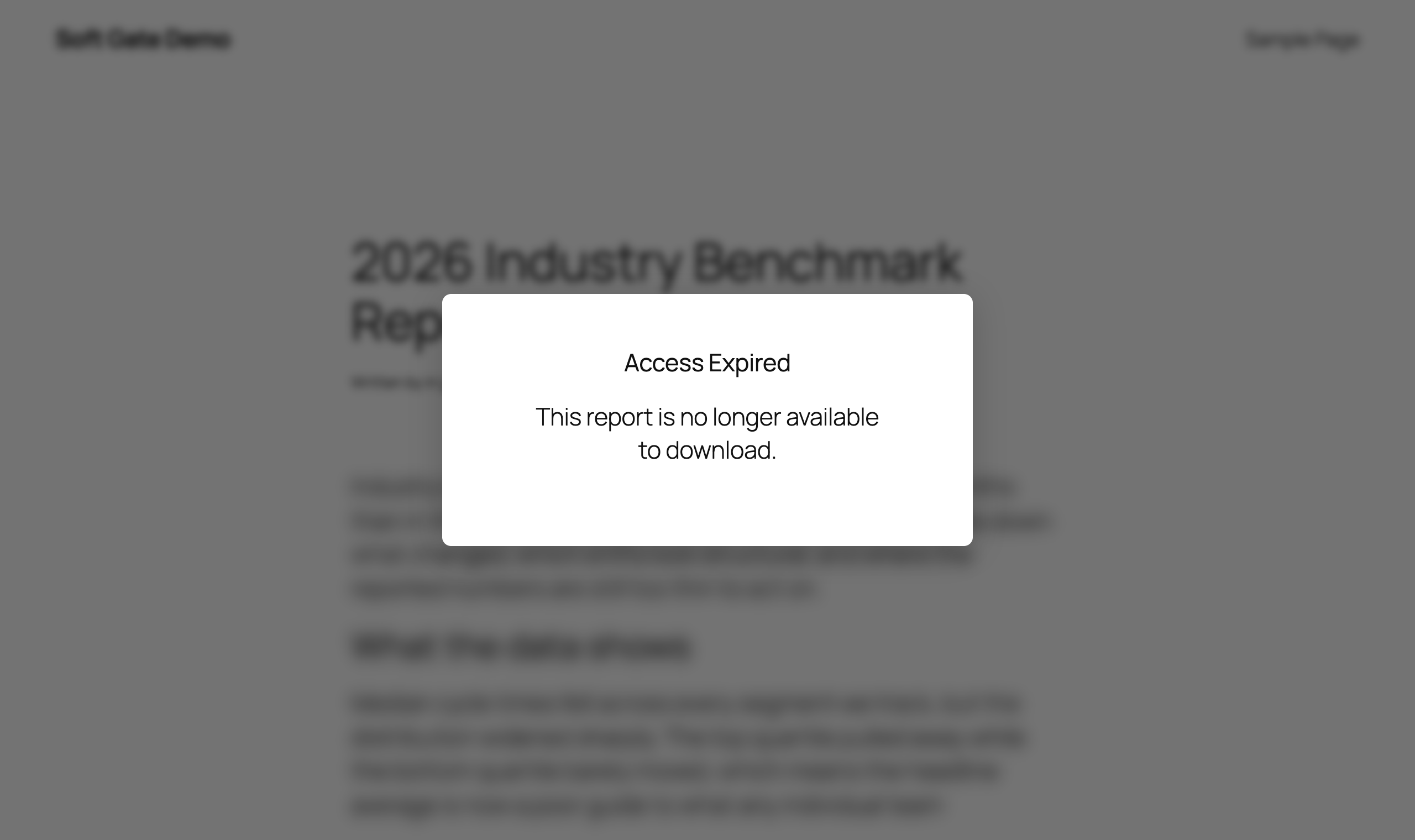
Uses the Default blocked message. No way forward.
Block access also reveals two settings the others do not use:
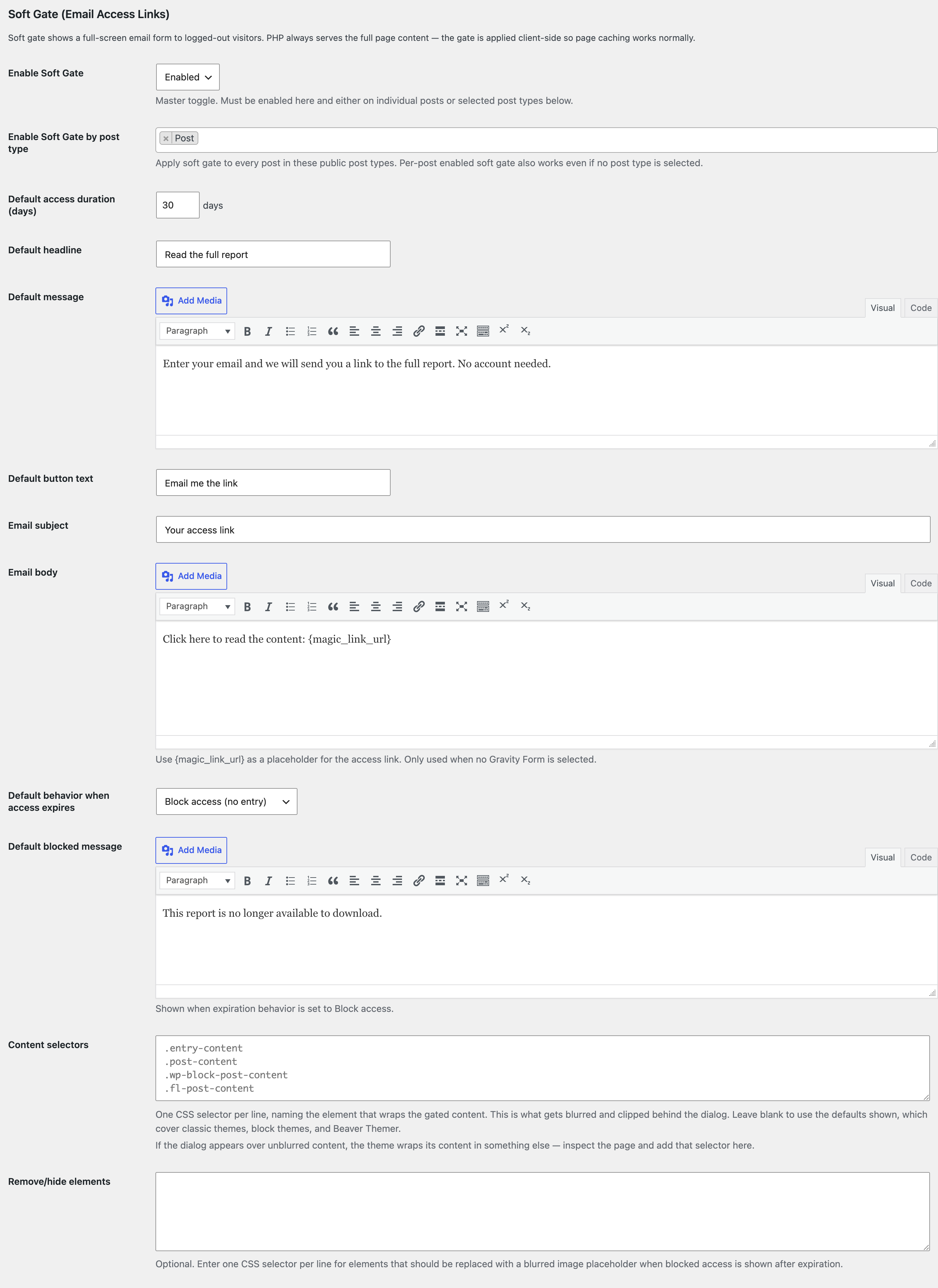
The blocked message, and the optional list of elements to replace with a pixelated placeholder.
The blocked state is produced in the browser: the real markup is present in the response and is only replaced after JavaScript runs. It raises the bar visually; it does not withhold the content. Do not sell it to a client as a way of retiring content.
Per-post configuration
The Soft Gate controls appear only on post types selected in one of the two post-type lists. On everything else there is no metabox and no panel.
Both editors offer the same fields, writing the same post meta. You get one or the other, never both.
One control, decided by the post type
The first control changes depending on whether the post's type is gated wholesale under Enable Soft Gate by post type:
| The post's type is | You get | What it does |
|---|---|---|
| Not in the post-type list | Enable soft gate on this post | Opts this one post in. |
| In the post-type list | Exclude this post from soft gating | Opts this one post out. |
You never see both. On a gated post type an opt-in could not change anything — the post is already gated — so the control is replaced by its opposite rather than shown as a no-op.
The two write different meta keys, and neither is read while the other applies. Take a post type out of the list and any per-post opt-in it had comes back into effect; put it back and the exclusions apply again. Nothing is lost either way.
Block editor
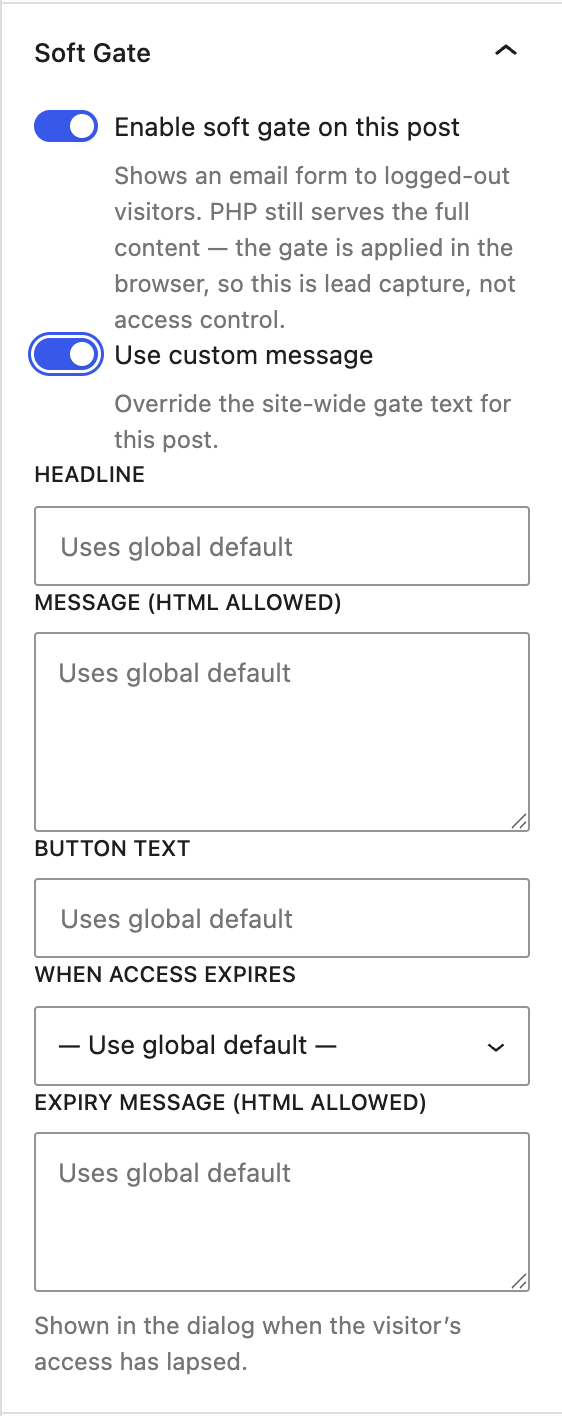
The Soft Gate panel in the Document sidebar, under the post's own settings.
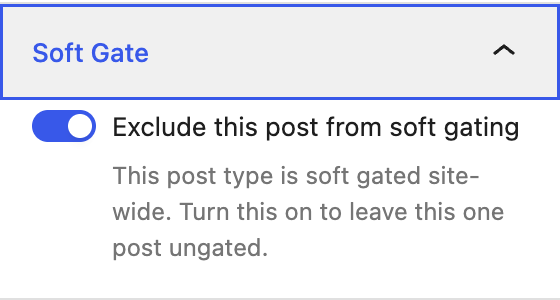
On a post type that is gated wholesale, the panel offers the exclusion instead.
Classic editor and page builders
Post types served by the classic editor — including any a page builder has taken over (Beaver Builder, Elementor, WPBakery) — get the same fields as a Soft Gate (Email Access Links) metabox below the content.
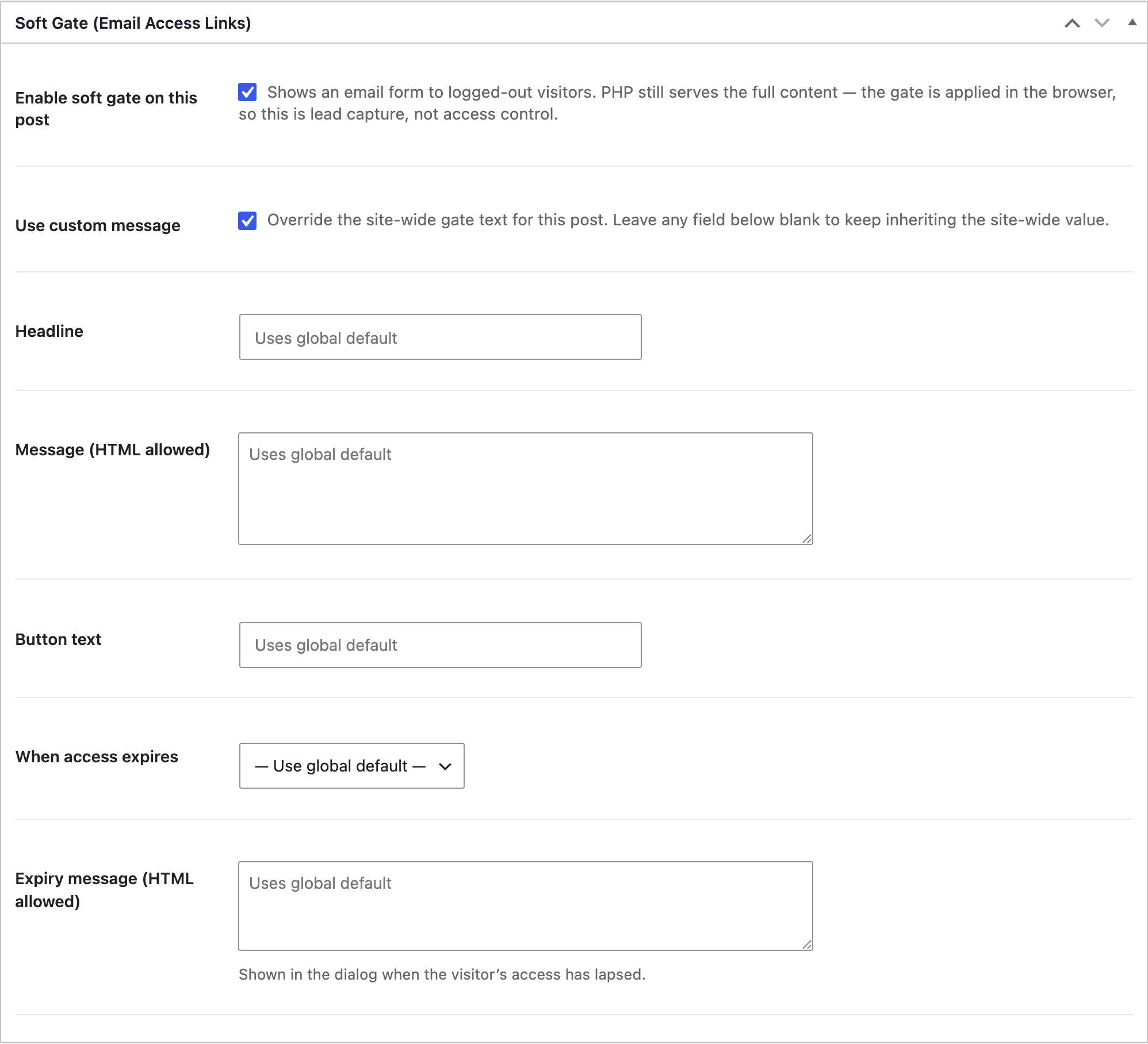
The same fields, same labels, same inherit-when-blank behavior. Fields that do not apply to the current configuration are hidden, exactly as in the panel — here the expiry behavior is inherited, so the blocked message is not shown.
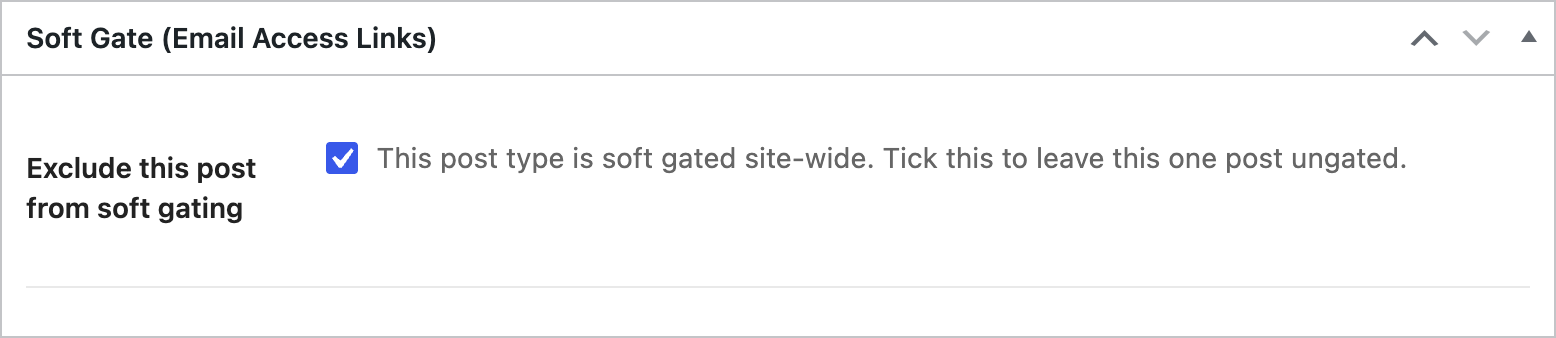
The metabox on a post whose type is gated wholesale — same swap as the panel, and the same hiding of overrides once the post is excluded.
The metabox is registered for every public post type but only renders when the screen is not the block editor, so a post never shows both UIs. Switching a post type between editors does not lose anything: both write the same meta keys.
Fields
| Field | Description |
|---|---|
| Enable soft gate on this post | Turns soft gating on for this post. The global master toggle must also be on. Shown only when the post's type is not gated wholesale. |
| Exclude this post from soft gating | Leaves this one post ungated. Shown only when the post's type is gated wholesale, in place of the opt-in. |
| Use custom message | Reveals the override fields below. While this is off, the post uses every global default — even if override values were saved earlier. |
| Headline | Dialog headline. Blank inherits the global default. |
| Message | Dialog body copy. Blank inherits the global default. |
| Button text | Submit button label. Blank inherits the global default. |
| Gravity Form | Per-post form override. Only shown when Gravity Forms is active with at least one form. |
| When access expires | Per-post expiry behavior. — Use global default — inherits. |
| Expiry message | Shown when the behavior is Re-prompt (or inherited). Blank inherits the global default. |
| Blocked message | Shown when the behavior is Block access. Blank inherits the global default. |
The hard gate's own fields — Access Restriction, Custom Restriction Message, Custom Introduction — live in their own Content Protection metabox, which renders in both editors. Soft Gate never replaces it.
What gets stored
| Where | Key | Notes |
|---|---|---|
| Custom table | {prefix}yoko_soft_gate_tokens | token_hash (SHA-256, unique), email, expires_at, created_at, entry_id. Created by SoftGateDatabase::maybe_create_table(), version-guarded by the yoko_soft_gate_db_version option. |
| Site option | yoko_sso_options | All global settings, alongside the rest of Content Gating. Network option on multisite. |
| Post meta | yoko_soft_gate_enabled, yoko_soft_gate_excluded, yoko_soft_gate_use_custom_message, yoko_soft_gate_headline, yoko_soft_gate_message, yoko_soft_gate_button_text, yoko_soft_gate_gravity_form_id, yoko_soft_gate_expiry_behavior, yoko_soft_gate_expiry_message, yoko_soft_gate_blocked_message | Registered with show_in_rest for the sidebar, per post type. The hard gate's own meta is deliberately not REST-exposed — meta has no read-side capability check, so exposing the allowed-roles list would publish every post's gating configuration. Registration happens at init priority 99, after generated CPTs exist, and switches on custom-fields support where it is missing — REST omits the whole meta object without it. |
| Cookie | yoko_soft_gate_access | Set by JavaScript. Holds the access expiry as a Unix timestamp — nothing else, and no signature. path=/, SameSite=Lax. |
| Transient | yoko_sgml_<md5(email+form_id)> | 5-minute hand-off carrying the magic link to the Gravity Forms {magic_link_url} merge tag. |
| Cron | yoko_soft_gate_purge_tokens | Daily. Deletes rows whose expires_at has passed. Run on demand with wp yoko soft_gate_purge. |
The raw token is never stored — only its hash — so a database dump does not yield working magic links.
REST endpoints
Both are public (permission_callback => '__return_true') by design — they must work from a fully cached page for a visitor with no session, and no nonce is sent for the same reason.
POST /wp-json/yoko-sso/v1/soft-gate/request
email (validated with is_email()) and post_id (must have soft gating enabled). Returns { "success": true }.
Rate limited to 3 per IP and 3 per email address, per 10 minutes — SoftGateRest::RATE_LIMIT_MAX, RATE_LIMIT_MAX_PER_EMAIL, RATE_LIMIT_WINDOW, tracked in transients.
| Error code | Status |
|---|---|
yoko_soft_gate_not_enabled | 400 |
yoko_soft_gate_rate_limited | 429 |
yoko_soft_gate_token_insert_failed / yoko_soft_gate_token_entropy_failed | 500 |
yoko_soft_gate_gf_form_not_found / yoko_soft_gate_gf_submission_failed | 500 |
yoko_soft_gate_email_failed | 500 |
POST /wp-json/yoko-sso/v1/soft-gate/validate
token — the raw value from ?yoko_token=, which must match ^[a-f0-9]{64}$ or the request is rejected before any query runs. Looked up by SHA-256 hash.
Returns { "success": true, "expires_at": <unix timestamp> }, or yoko_soft_gate_invalid_token (404) when the token is unknown or expired — the two are deliberately indistinguishable.
WP-CLI
| Command | What it does |
|---|---|
wp yoko soft_gate_tokens | Lists issued tokens, newest first. --email=, --limit=, --format=. Shows when a link was issued and expires — never the link, since only the hash is stored. |
wp yoko soft_gate_purge | Deletes expired tokens. Same as the daily cron event; useful when cron is not firing. |
wp yoko soft_gate_revoke --email=<email> | Invalidates every link issued to an address. Add --yes to skip the prompt. |
wp yoko soft_gate_tokens --email=someone@example.com
wp yoko soft_gate_revoke --email=someone@example.com --yes
Revocation kills the links. Anyone who already clicked one holds a cookie in their own browser that no server-side action can withdraw; it lapses on its own schedule.
Hooks
| Hook | Signature | Purpose |
|---|---|---|
yoko_sso_soft_gate_post_type_options | ( array $post_type_objects ) | Filters the post types offered in Enable Soft Gate by post type. |
yoko_soft_gate_meta_post_types | ( array $post_type_slugs ) | Filters which post types the soft-gate meta is registered for. Narrow it on sites that only gate one content type. |
yoko_soft_gate_metabox_post_types | ( array $post_type_slugs ) | Filters the post types the classic-editor metabox appears on. |
yoko_soft_gate_content_selectors | ( array $selectors ) | Filters the selectors the content blur is applied to. Use this from a theme instead of configuring it per site. |
yoko_soft_gate_bypass_cookies | ( array $rules ) | Cookies that let a visitor past the gate without an access link. See Bypass cookies. Since 1.33.0. |
yoko_soft_gate_submitted (action) | ( string $email, int $post_id ) | Fires once when a visitor submits the gate's form. See Reacting to a submission. Since 1.33.0. |
gform_custom_merge_tags / gform_replace_merge_tags | (Gravity Forms) | Register and resolve {magic_link_url}. |
Bypass cookies
Use this when a site already knows who a visitor is — typically a cookie an SSO integration leaves behind after login — so a known member is not asked for their email.
add_filter( 'yoko_soft_gate_bypass_cookies', function ( $rules ) {
	$rules[] = array(
		'name'     => 'aaaa_roles', // Cookie name. Required.
		'contains' => '{Member}',   // Substring of the decoded value. Omit to match on presence alone.
	);
	return $rules;
} );
| Rule matches when | Result |
|---|---|
A non-empty cookie with that exact name exists, and its URL-decoded value contains contains | No blur, no dialog — same as a valid access cookie |
contains is omitted or empty | The cookie's presence is enough |
| The cookie is empty, absent, or only a prefix of the name matches | The gate runs as normal |
Rules are matched in the browser, by the head script and the bundle, against each visitor's own cookies. They are printed into the cached page, so they must be the same for everyone.
Soft-gated pages are served from the full-page cache. PHP runs once for the first visitor and everyone else gets those bytes, so a filter that returns different rules per visitor decides for the whole cache. That is why this is a cookie rule rather than a PHP "should I gate?" filter.
Names outside A–Z a–z 0–9 _ . - are dropped and logged as [yoko-soft-gate] ignoring bypass rule when WP_DEBUG is on.
Reacting to a submission
yoko_soft_gate_submitted fires once each time a visitor submits the gate's form, whether that form is the built-in email field or an embedded Gravity Form. Use it to record something about the visitor, such as tagging them for analytics or a CRM.
add_action( 'yoko_soft_gate_submitted', function ( $email, $post_id ) {
	// Runs inside the submission request, not the cached page view.
}, 10, 2 );
| When | Fires? |
|---|---|
| The built-in email field is accepted | Yes, once |
| The gate's embedded Gravity Form is submitted | Yes, once |
| A different Gravity Form on the same page is submitted | No |
| The address is invalid, the request is rate limited, or the post is not soft gated | No |
Unlike the bypass rules, this runs in PHP for one visitor. The submission is a POST (a REST call, or a form submission), which the page cache never stores. So a callback may read and set that visitor's own cookies.
Theming the gate
The gate ships a small inline stylesheet, so it works on any theme untouched.
Block themes get it for free: colors, spacing and fonts read from theme.json presets (--wp--preset--color--primary, --wp--preset--spacing--50), so the dialog picks up the client's palette with no extra CSS.
Classic themes and page builders define no presets, so the dialog falls back to its neutral defaults — restyle these classes from the theme stylesheet:
| Class / selector | What it is |
|---|---|
body.has-soft-gate | On every soft-gated page, regardless of access. Safe to target for layout tweaks. |
html.yoko-soft-gate-armed | Added before first paint when there is no valid access cookie. This is what the content blur hangs off. |
body.soft-gate-active | Added by the behavior script when the dialog is actually showing. |
body.has-soft-gate-expiry-<behavior> | The resolved expiry behavior — reprompt, login, or block. |
.yoko-soft-gate-overlay / .yoko-soft-gate-dialog | The backdrop and the dialog box. |
.yoko-soft-gate-state[data-state="default|success|expired"] | The three pre-rendered stages. Only the one with .is-active is visible. |
.yoko-soft-gate-form, .yoko-soft-gate-email, .yoko-soft-gate-submit, .yoko-soft-gate-error | The built-in email form. |
.yoko-soft-gate-gf | Wrapper around an embedded Gravity Form. |
.yoko-soft-gate-armed <content selector> | The content blur, generated from the Content selectors setting (or the built-in list). |
Verifying it works
Soft gating is a cache-facing feature, so an admin view proves nothing. Always check logged out.
wp option pluck yoko_sso_options soft_gate_enabled
wp post meta get <post_id> yoko_soft_gate_enabled
Confirm the markup reaches an anonymous visitor:
curl -s https://example.com/the-post/ | grep -o 'yoko-soft-gate-overlay\|has-soft-gate'
Inspect the tokens issued for an address:
wp db query "SELECT id, email, created_at, expires_at, entry_id FROM $(wp db prefix --allow-root)yoko_soft_gate_tokens ORDER BY id DESC LIMIT 10"
Run the cleanup job on demand:
wp cron event run yoko_soft_gate_purge_tokens
Troubleshooting
| Symptom | Likely cause |
|---|---|
| Cleared headline or message comes back anyway | Fixed in 1.25.2. Before that the front end treated an empty value as "never configured" and substituted the built-in copy. |
| Gate never appears | The master toggle is off; the post is neither individually enabled nor in a selected post type; or it has hard-gate roles set, which disables soft gating entirely. |
| No Soft Gate controls anywhere on a post | The post type is in neither post-type list. Add it to Enable Ad-Hoc Soft Gate by post type to gate posts in it one at a time. |
| No Soft Gate panel in the block editor sidebar | Check below the content for the Soft Gate metabox instead — the post type is being served by the classic editor. Both have the same fields. |
| No Enable soft gate on this post on some posts | Expected. The post's type is gated wholesale, so the control is Exclude this post from soft gating instead. See One control, decided by the post type. |
| A per-post toggle reverts as soon as you save | Fixed in 1.27.0, and it affected every custom post type in the block editor. Check post_type_supports( 'your_cpt', 'custom-fields' ) — REST exposes no meta object without it, so the editor's write is dropped and you still get a 200. |
| Gate appears but content is not blurred | The theme's content wrapper is not in the built-in list — common on page builders other than Beaver Themer. See Which content selector applies. |
| Content flashes fully readable before the gate appears | The yoko-soft-gate-arm inline script in <head> is missing or stripped — usually an optimization plugin removing inline scripts. |
| Content stays blurred with no dialog | The behavior script never loaded. A watchdog releases the blur after five seconds and logs to the console; check that build/yoko-sso-cp/soft-gate.js returns 200. |
| Submitting the email returns a 403 | Not us — the endpoints are public and send no nonce. Something else is refusing it: a WAF, or a REST-blocking plugin. |
| Submitting the email returns a 429 | Rate limit — 3 requests per IP and 3 per email address, per 10 minutes. See Error states above for what the visitor sees. |
| Email never arrives | Check SMTP, and on the Gravity Forms path that the notification is enabled. yoko_soft_gate_email_failed means wp_mail() returned false. |
| Magic link opens the gate instead of the content | The token hash was not found or the row has expired. Tokens live for the configured access duration; re-request a link. |
| Access lasts a different number of days than configured | Token timestamps are UTC on both write and read, so the site's timezone is not a factor. Check Default access duration and wp yoko soft_gate_tokens for the stored expires_at. |
| A visitor with a bypass cookie still sees the gate | Check the cookie is readable by JavaScript (not HttpOnly) and that its decoded value really contains the rule's contains — it is case-sensitive. Look for bypassCookies in #yoko-soft-gate-config; if it is empty, the filter is not running on that page. |
| Logged-in users see the gate | Should not happen — nothing is emitted at all for a logged-in visitor. If it does, confirm the request really is authenticated (look for the admin bar); a caching layer serving a logged-out copy to a logged-in visitor is the remaining explanation. |
Known limitations
Deliberate trade-offs, listed so nobody rediscovers them on a client call.
- Links are reusable until they expire. Not consumed on first use, so forwarded email and corporate link scanners reproduce access. Shorten Default access duration to narrow the window.
- A link is not bound to its post. The cookie carries an expiry and nothing else, so one link unlocks every soft-gated post. That is why access duration is global-only.
- The access cookie is unsigned. Anyone can set a future timestamp by hand. Inherent to keeping the page cacheable.
- Bypass cookies are unsigned too. Anyone who sets a matching cookie by hand skips the gate. Acceptable for lead capture; not a substitute for the hard gate.
- The two gates never combine. Hard-gate roles win outright.
- The blocked placeholder degrades to a plain block when it cannot rasterize — a cross-origin image without CORS headers, or an element with no rendered size. The content is removed either way. Look for
[yoko-soft-gate] could not rasterizein the console. {magic_link_url}resolves in notifications and feeds only. Anywhere browser-facing it is blanked and logged, which is what stops the link being printed onto the page.