Block Additional CSS
Makes the Additional CSS field attached to a block behave like Sass: nested rules that reach inside the block, and media queries.
WordPress ships the field. What it does not ship is a compiler that can read it.
Core splits the text on & and then requires exactly one pair of braces per
fragment, so one level of nesting works and nothing else does — every @media,
@supports and second level of nesting is dropped without a word. Yoko Core
replaces that compiler. Nothing else about the field changes: same box, same
storage, same permission.
What changed
| You write | WordPress alone | With Yoko Core |
|---|---|---|
color: red; | Works | Works |
& a { color: red; } | Works | Works |
a { color: red; } | Broken selector | Works — a descendant, as in Sass |
@media (max-width: 600px) { … } | Silently dropped | Works |
& .card { & .title { … } } | Silently dropped | Works, to any depth |
& .card { @media … { … } } | Silently dropped | Works |
@supports, @container, @layer | Silently dropped | Works |
@keyframes spin { … } | Silently dropped | Works |
background: url(x.png?a=1&b=2) | Mangled — the & splits the rule | Works |
Where the field is
Two fields, both fixed the same way.
| Field | Where | Applies to |
|---|---|---|
| Additional CSS | Block inspector → Advanced | That one block, on that one page |
| Additional CSS | Site Editor → Styles → Blocks → block → Additional CSS | Every block of that type, site-wide |
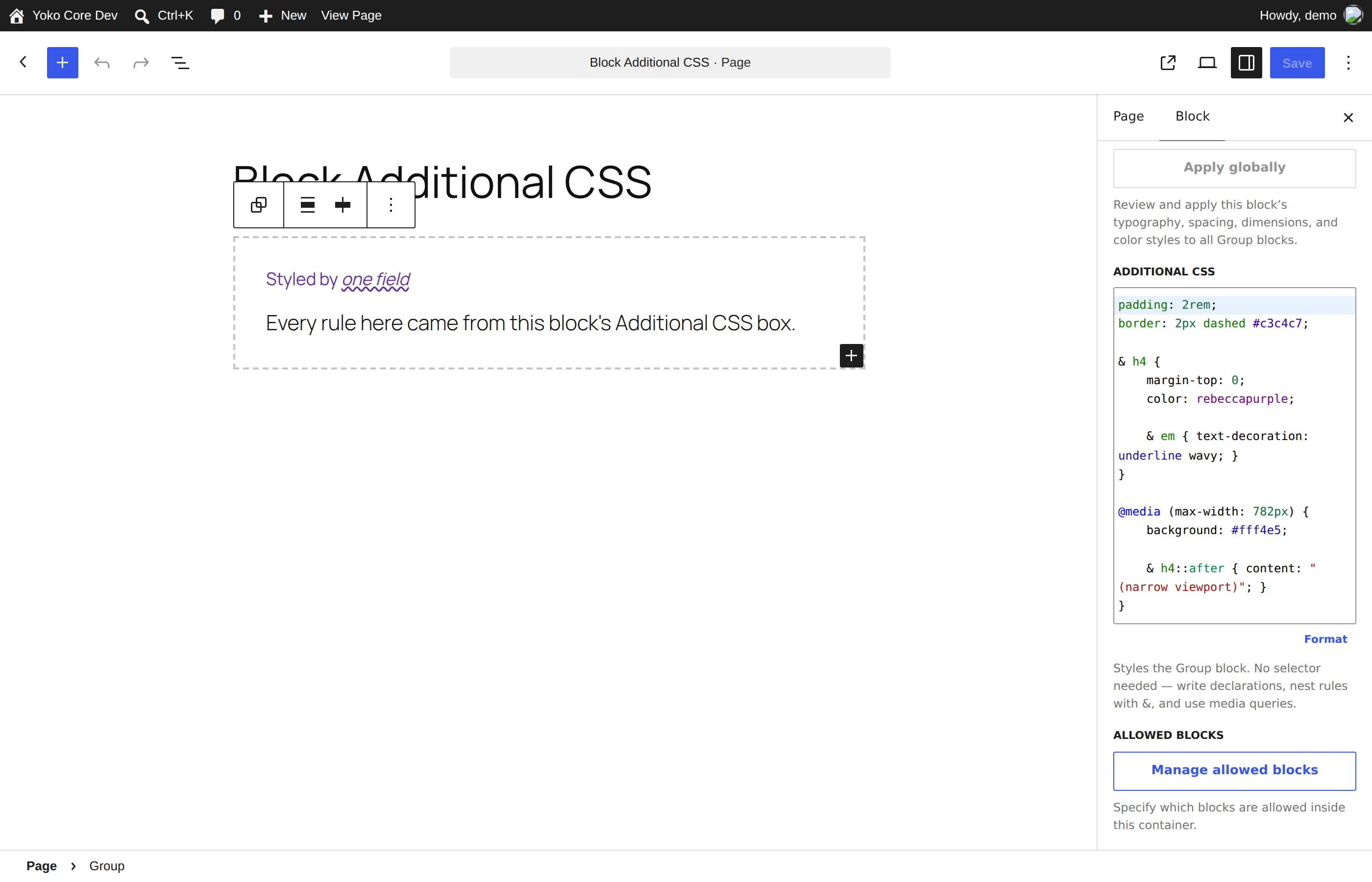
The canvas renders what the front end will. The purple heading and the wavy underline are two levels of nesting; the media query is inactive at this width.
The site-wide Styles → Additional CSS box — the one that is not attached to a block — was never affected. WordPress prints that one verbatim and the browser handles it.
Both fields live in the block editor. The classic editor and Beaver Builder have no block inspector, so neither field exists there. For a Beaver Builder layout, use the module's own Advanced → CSS field or the theme stylesheet.
Writing it
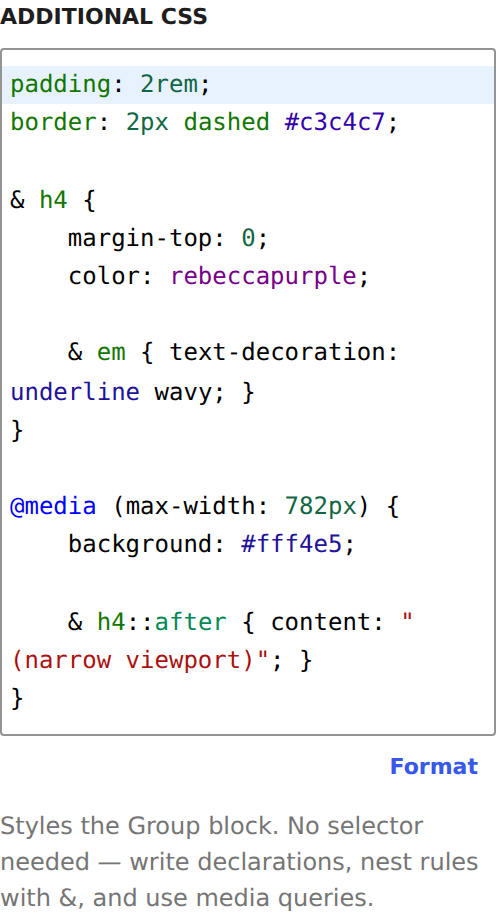
No selector is needed. Declarations apply to the block itself; anything with braces nests inside it.
padding: 2rem;
background: #f6f6f6;

& h2 {
	margin-top: 0;
	font-size: 1.5rem;

	& em {
		color: rebeccapurple;
	}
}

/* No & needed — a bare selector is a descendant. */
a {
	text-decoration-thickness: 2px;
}

&:hover {
	background: #eee;
}

&::before {
	content: "→ ";
}

@media (max-width: 600px) {
	padding: 1rem;

	& h2 {
		font-size: 1.2rem;
	}
}
| Syntax | Means |
|---|---|
color: red; | The block's own element |
& a { } | An a inside the block |
a { } | The same thing — & is optional for descendants |
&.is-active { } | The block's element when it also has .is-active |
&:hover { }, &::before { } | Pseudo-class, pseudo-element |
.no-js & { } | The block, when inside .no-js |
& h2, & h3 { } | Both, as one rule |
@media, @supports, @container, @layer | Nest anywhere, any depth |
Format
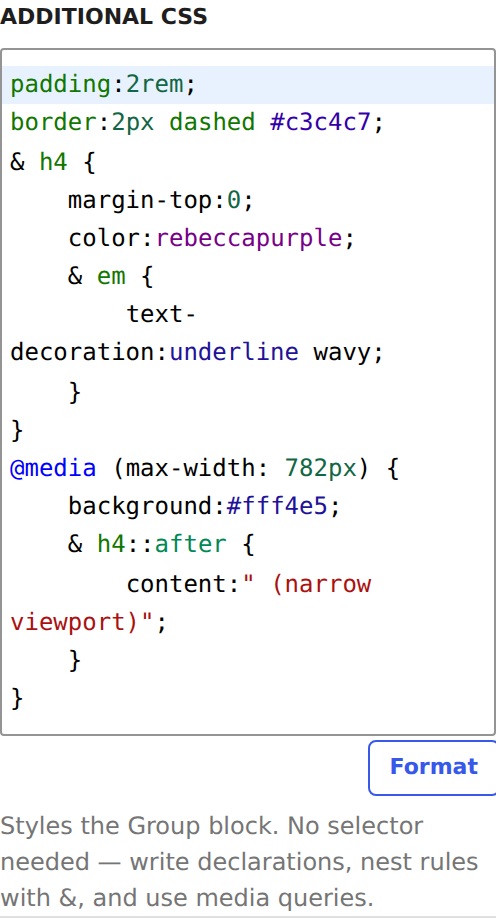
Format re-indents what you wrote, one tab per level of nesting. It re-indents the structure the compiler actually parsed, so if a brace is in the wrong place the formatted output shows you where.
Seeing it work
| Wide | Narrow |
|---|---|
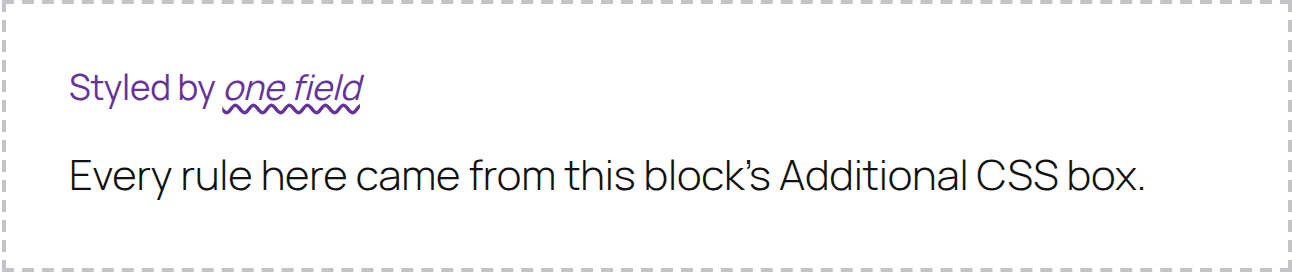 | 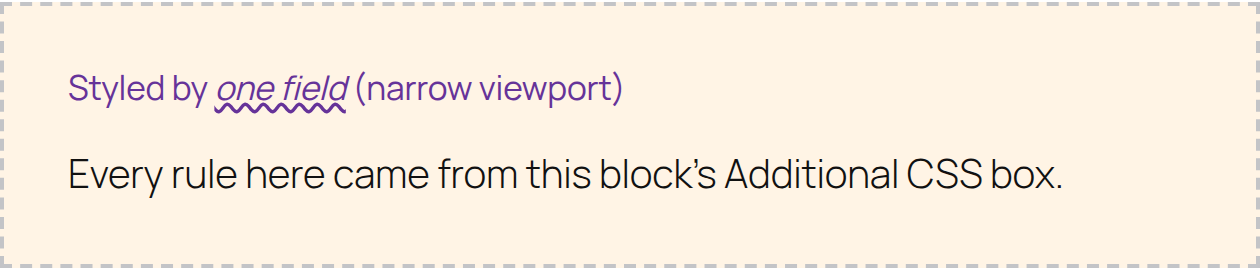 |
The same block, either side of @media (max-width: 782px). The background change
and the (narrow viewport) suffix both come from inside that query.
Specificity
Rules are emitted as :root :where( … ), which is WordPress's own shape for this
field, unchanged. :where() contributes no specificity, so every rule here
weighs 0-1-0 — the :root and nothing else — however long the selector got
after nesting.
That has one consequence worth knowing before you debug it:
- Nesting deeper does not win you specificity.
& .card .title aweighs the same ascolor: red;on its own. Nor does doubling up:&&compiles to:root :where(.blk.blk), still0-1-0. - The stylesheet is printed after
global-styles, so it beats anything fromtheme.jsonat equal weight. - A theme rule that is genuinely more specific —
.wp-block-group h4is0-1-1— wins.!importantis the way past it, and it works normally here.
& h4 { color: rebeccapurple !important; }
Who can use it
The field only appears for users with the edit_css capability — administrators,
and on multisite, super administrators. That is WordPress's gate, unchanged.
If a user without it saves a post, WordPress strips the CSS out of the block markup on save. That is also unchanged, and it is why the editor warns them.
Limits
@importis dropped. It cannot work from a stylesheet printed inline, and a field meant to style one block should not be able to pull in a whole remote one.- CSS containing
<or>markup is refused entirely, as WordPress refuses it — the CSS is printed inside a<style>element it could otherwise close. - Comments are stripped before compiling.
- In the Site Editor, the canvas shows WordPress's own live preview of the site-wide block CSS while you type; it settles on the compiled version after a save. The per-block Advanced field previews correctly as you type.
- A theme's own
theme.jsonis left to WordPress. Only CSS written in the Site Editor is recompiled, so a theme update cannot start behaving differently because this plugin is installed.
Requirements
The Advanced-panel field is a WordPress 7.0 feature; on earlier versions there is no field to improve and this does nothing. The Site Editor's per-block field needs a block theme.
For developers
The compiler is YokoCo\BlockCSS\Compiler::compile( $css, $selector ) and is
mirrored in JavaScript at src/block-custom-css/compile-css.js for the editor
preview. Both are held to the same fixtures in tests/fixtures/nested-css.json.
| Hook | Type | Use |
|---|---|---|
yoko_block_css_global_styles | filter | The compiled CSS from the Site Editor's per-block fields, before it is printed |
CSS is stored where WordPress stores it — the block's style.css attribute, and
styles.blocks.<name>.css in the wp_global_styles post. Deactivating Yoko Core
gives WordPress's compiler back without touching a single post.